PowerPack for Revit – Boost your productivity!


GRAITEC PowerPack for Autodesk Revit

This Week Feature: Family Manager

Work faster and smarter
• Speed up loading of families in Revit® projects
• Choose families and types to be loaded
• Includes new GRAITEC library of families
• Just a few clicks to download and view family libraries

Download the Advance PowerPack now >>>

http://www.youtube.com/watch?v=V3AMLkqibks


BIM Workflow – Autodesk® Advance Steel > Autodesk® A360 Drive


Jonathan Hand, Software Application Engineer at GRAITEC, speaks about exporting an Advance Steel model to A360…

Autodesk A360 enables design and engineering centric project teams to work efficiently together in one central workspace.

A360 online viewer allows you to combine and connect data to better create, view, analyze, share, and manage information on your structural projects By exporting a completed Advance Steel model to ACIS we can upload the project to A360.


Check out my screencast video showing whats possible with the new features in A360. With every model uploaded you will now have a 2D view and also use the section tools to cut the model in any required axis.


You can follow the link bellow to see the video:
https://screencast.autodesk.com/Embed/50579b5e-3826-47c8-819f-1d42c8bbc91b

Desktop Subscription (DTS) – Disruption or time for a reality check?


Desktop Subscription (DTS) - Disruption or time for a reality check?

, Group Product Strategy Director at GRAITEC, speaks about Autodesk Desktop Subscription:

“[…] Let me ask you…what makes your company stand out from the crowd? What makes your company better and more successful than your competitors? Not hard is it…the people. Better yet, you! Oh, not the new software then?!

Speaking of software, CAD eventually defeated the drawing board. In a fraction of the time, BIM too will defeat CAD. It’s an inescapable reality.

Anyone who knows what they are talking about, will tell you that truly successful BIM implementation requires a great deal of knowledge, covering an enormous variety of ever changing workflows, processes, software, technology and legislation.

Today, Autodesk offers the most extensive array of design, BIM, detailing data management and visualization software technology ever. Making this full range of software available via a Desktop Subscription model, at a fraction of the initial upfront cost, affords companies the opportunities to react faster, do more in less time and become infinitely more versatile.

But the real question is, how will companies actually be able to take full advantage of all this technology without the appropriate skill set to use it effectively? Surely it’s time to take a reality check? […]”

>> Click here to read the full article >>

Urgent Announcement – Autodesk Support for Windows 10


With Windows 10 now being officially available and with some users seeing the upgrade link on their work or home computers the temptation is to download this latest free upgrade without considering the wider implications of the upgrade.

Urgent Announcement - Autodesk Support for Windows 10

As with any business environment it is crucial however that wherever possible, operating system (and other critical system) upgrades are not performed in a production environment without ensuring that business critical software and hardware support the changes or upgrading to a new operating system.

For Autodesk software, currently Windows 10 is not yet an officially supported operating system across the Autodesk product line. Autodesk state that they intend to support many of their key products on Windows 10 and will add products to the list of products supported on Windows 10 as updates and future versions are released.

For users on pre 2013 products, these are no longer supported and are not included in considerations of Windows 10 compatibility.

So in summary, until supported please do not upgrade to Windows 10. If you have, technically you should be able to roll back to your previous version within 30 days, however with all things IT there are no cast iron guarantees that this will be totally successful.

Always backup all your data before major configuration changes.

If you have any questions or queries, please contact your local GRAITEC Office!

GRAITEC reports 40% growth for 2014


Paris, France, February 26th 2015 – GRAITEC, international BIM, CAD solutions software developer, Autodesk Platinum Partner in seven countries across Europe and global Autodesk reseller, reports a turnover of 47.2 million Euros for the fiscal year ending December 31st 2014. This represents a growth in turnover of over 40% compared with 2013, with an EBITDA ratio of 7.5%. This increased revenue was achieved through organic growth and planned strategic acquisitions.

 GRAITEC Group : CAD and Analysis Software for the Construction Industry

Key 2014 facts

-> Autodesk Platinum Partner status across Europe offices:

  • UK
  • France
  • Germany
  • Italy
  • Czech Republic
  • Poland
  • Romania

-> Four strategic acquisitions

  • United Kingdom: MicroCAD – Autodesk Gold VAR
  • Italy: ERA3 – Fabrication MIS software developer
  • France: HPC-SA – Thermal analysis and solar simulation software developer
  • Poland: Robobat – Autodesk Gold VAR and Robot analysis software specialists

-> Unrivalled growth

  • 94% in the USA
  • 90% in the United Kingdom
  • 30% in the Czech Republic

-> GRAITEC PowerPack released – extension for Autodesk® Advance Steel

-> Two new cutting-edge technologies

  • Advance Workshop – Fabrication management software (MIS)
  • ArchiWIZARD – Thermal simulation software

-> Now operating from 26 offices globally

Outlook

GRAITEC continues its role as an ambitious player in the AEC market and is set to be a key worldwide Autodesk BIM partner. Thanks to the European reach of theAutodesk Platinum agreement, signed in 2014, covering UK, France, Germany, Italy, Czech Republic, Poland and Romania, GRAITEC has already secured a number of large multi-national contracts with several enterprise customers looking for an independent, fully proficient supplier to implement BIM to optimize their costs and improve service quality across their offices.

With access to a unique portfolio of combined Autodesk and internal technology, together with a full range of professional support and customer success services, GRAITEC has established an exclusive blueprint for successfully delivering quality solutions and services that meet the demanding needs of both multi-national organizations and local businesses alike. With the demand for BIM increasing rapidly across Europe, Architects, Engineers, business owners and contractors in the AEC sector looking for a partner with a successfully proven track record, will find GRAITEC perfectly positioned to manage and fulfil their BIM implementation, software and service needs.

Simultaneously GRAITEC continues its success with Advance Steel, recording a 33% increase in product sales compared to 2013, since Autodesk acquired the software in November 2013. More so, the release of the GRAITEC Advance PowerPack – a powerful extension adding increased functionality and performance to Autodesk® Advance Steel – is a clear indication of GRAITEC’s commitment to the steel sector. Combined with the strategic acquisition of ERA3’s Steel Fabrication Management MIS Software, GRAITEC continues to provide the structural steel industry with purpose-built, innovative technologies and expert customer success services, ensuring GRAITEC remains a leading authority in this field.

Francis Guillemard, GRAITEC CEO adds:The strategy of GRAITEC is to become a global leading BIM provider, combining Autodesk and GRAITEC technologies in order to deliver real benefits to customers and support the acceleration of BIM adoption around the world. Fiscal year 2014 with +40% growth shows we are already headed in the right direction.

Learn what Autodesk BIM and Manufacturing Software Can Do For Your Business


Autodesk Desktop Subscription - Pay As You Go Software

Learn what Autodesk BIM and Manufacturing Software Can Do For Your Business

Make the most of your Autodesk software and discover the revolutionary approaches targeted towards your business with our free informative webinars. 

Working with Intelligent Models using Revit  

This Webinar demonstration will introduce the differences between traditional drawing and intelligent production of drawings. We will cover the fundamentals of creating Architecturally biased drawings, showing efficiency gains and the ability to extract additional information with minimal work.

Date: Wednesday 17th December 2014 

Time: 11:00am to 12:00pm


Introduction to Inventor

Join us for this webinar to discover the pivotal manufacturing software, Autodesk Inventor and how it has aided an array of manufacturing companies to carry out or move into a digital prototyping workflow.

Date:  Monday 22nd December 2014 & Friday 23rd January 2015

Time:  15:00 – 16:00pm    


Vault Workgroup and Professional

Autodesk Vault Professional and Autodesk Vault Workgroup are product data management software tools that can help you track all your design data, enhance your work process and securely share your data with the extended organisation. Learn the advanced functionality and features of this software and learn to improve your design and manufacturing process.

Date: Friday 22nd December 2014 

Time: 10.00-11.00am 


Vault Basic

With Autodesk Vault Basic you can easily organise, manage and track data creation, manufacturing processes as well as engineering and construction teams.

If you are only just entering the world of Product Data Management then you will realise the potential of the software on your data whilst enjoying this webinar from the comfort of home/work place.

Date: Friday 23rd January 2015

Time: 10.00-11.00am


Click here to register and you wont miss out on these free learning tools that will enable you to gain further knowledge for you to implement into your business/industry.

BIM Breakfast with Autodesk in Prague


On 5th of November companies Graitec and Autodesk organized an event for leading architectural and engineering companies focused on BIM. The event took place on the premises of the ancient Brevnov monastery in Prague.

Mr. Patrik Minks, Autodesk Territory Sales Executive, opened the event with short summary of the terminology and benefits of BIM in the construction industry. Mr. Miroslav Vyčítal, main site manager at SKANSKA, introduced the audience to the construction company’s experience in the implementation of BIM processes in their projects in Czech Republic. On projects of customers using Advance Steel and Advance ConcreteMr. Tomáš Huml, Graitec Local Product Manager, demonstrated the exchange data between individual professions, with focus on steel and concrete constructions. The participants appreciated the international know-how in the field of BIM delivered by Graitec.

Mr. Miroslav Kohout, Graitec country manager, highlights:Succeeding in the strong competition on the market means for our customers the sophisticated implementation of modern technology with the support of the GRAITEC professionals.

GRAITEC is preparing similar events in other European countries.

BIM breakfest with Autodesk in Prague BIM breakfest with Autodesk in Prague

Export Advance Steel to Navisworks Freedom


Navisworks Freedom enables all construction professionals to review integrated models and data, in order to gain better control over project outcomes, using integration, analysis, and communication tools to help resolve conflicts, and plan projects before construction or renovation begins.

Advance Steel offers bidirectional interoperability with Navisworks and allows the integration of data for a whole-project review and also effective collaboration. Advance Steel models can be exported into Navisworks Freedom software for multidiscipline collaboration, construction simulation, and whole-project analysis, enabling specialists to work more closely and efficiently with other project stakeholders to help reduce the risk of unexpected issues at the job site.

Ultimately, Navisworks Freedom is a free QA tool that can assist in many areas.

  • The user can collaborate with engineers and architects who can view and approve the 3D model;
  • Fabricators can view the model parts and assemblies via. iPad or laptop on the shop floor to analyse and validate complex items in 3D;
  • Installers can quickly locate parts and assemblies on site in relation to compass orientation, grids and levels. The installer can zoom into complex areas and see exactly how the items are assembled reducing the need for complex paper documentation.
  • The 3D design samples can be shared through Navisworks Freedom to better market services to potential client.

To see the full demo, please follow this link

http://www.youtube.com/watch?v=qm4669Auw54

Advance Steel 2015 – Laser Point Cloud Demo


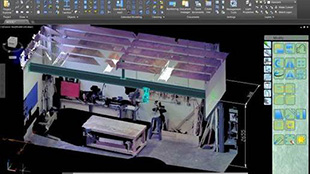
The demo utilizes a laser scanned – point cloud survey in Advance Steel 2015 / AutoCAD 2015 to create a highly accurate structural / mechanical 3D model and also the related automated parametric documentation.

Advance Steel 2015 - Laser Point Cloud Demo

Some of the advanced techniques which were covered in this demo are:

  • Switching the ribbon interface to unlock the power of AutoCAD 2015;
  • Utilising Point Filters
  • Using Custom Connections;
  • Quickly importing a complex 3D solid from a crane vendor by converting the 3D solid into a native Advance Steel ‘Special Part’.

The mechanical Special Part works with Advance Steel Clash Check, documentation and BOM lists.

The laser point cloud is parametrically XREFerenced into the Advance Steel general arrangement drawing to create a hybrid view. The complete drawing package is batch plotted in a couple of clicks.

To see the full demo, please follow this link.

http://www.youtube.com/watch?v=cUbzoVJlofc

GRAITEC MBS2BIM link helps Steelway Building Systems achieve streamlined BIM workflow between MBS and Advance Steel


Steelway Building Systems is a leading company located in Canada, which manufactures steel building systems, building components and material handling equipment for the commercial, agricultural, recreational and institutional industries, across North America and around the world.

The company has participated in the discussions and checking of the enhanced features in Advance Steel 2014, the MBS2BIM specification, and now has decided to continue with Advance Steel 2015, for better linking, accurate models and fabrication of steel components.

The MBS2BIM link is a specification which provides a converter between the output of the MBS (Metal Building Software, a program that does the complete design, detailing, costing and drafting of steel framed metal buildings.) and Advance Steel product, and converts the MBS files into GTC files. Many of the functionalities of MBS2BIM include importing tapered frames, connecting plates and angles, holes, bolts, welds and marks.

This slideshow requires JavaScript.

For Dennis BAK, VP-Engineering at Steelway Building Systems (Canada): “The linking was key for us; it meant being able to have a company that could take what we are currently doing and take our 2D design software and enhance it into a BIM model. With Advance Steel we see a lot of advantages: being able to complete our links in the shop floor and enhance them.

For the complete interview of Steelway Building Systems, please check this video.


Advance Steel Project: Skyline Plaza FFM


Skyline Plaza FFM
Frankfurt a.M., Germany

Software used: Advance Steel
Project location: Frankfurt a.M., Germany

Design Office: MDF Stahl- und Metallbau Fischer
Contracting authority: ECE
Architect: Jourdan & Müller

Project description:
The Skyline Plaza is a shopping center. It is 290m long and 150m wide and has a total area of 38.000 square meters. The building consists of several levels with 170 shops, restaurants and a public roof terrace. The facade has a curved form and is illuminated in different colors in the night.

Mr. Mario Fischer, Managing Director and construction engineer at MDF Stahl- und Metallbau Fischer: “Advance Steel was the ideal software for this ambitious project. I especially appreciate the complete and easy modelling in 3D. I use Advance Steel for a long time. The Software increaed my productivity for 60%-100%.

Autodesk White Paper: Exploit your AutoCAD investment with dedicated tools for structural steel detailing


Steel detailing organizations face a difficult business environment with tight schedules, slim margins, and intense competition, more so with Building Information Modeling (BIM)

becoming an expected practice and sometimes a prerequisite for new business!

Autodesk White Paper: Exploit your AutoCAD investment with dedicated tools for structural steel detailing

This Autodesk White Paper explores how Autodesk® Advance Steel enables a more seamless BIM workflow and gives you that competitive edge!

Download Autodesk Advance Steel White Paper    Download your Autodesk Advance Steel free trial


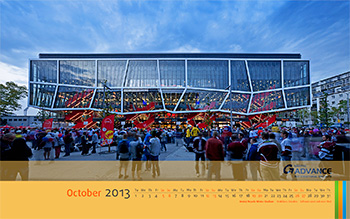
Download GRAITEC wallpaper for October


Download GRAITEC wallpaper for October

With calendar

Size: 1280×10241600×9001680×10501920×1200

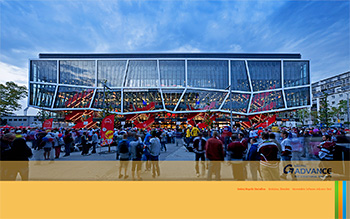
Download GRAITEC wallpaper for October

Without calendar

Size: 1280 x 10241600 x 9001680 x 10501920 x 1200

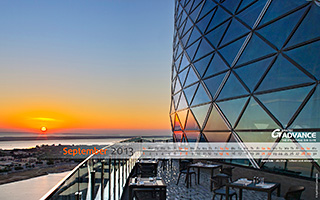
Download GRAITEC wallpaper for September


Download GRAITEC wallpaper for September

With calendar

Size: 1280×10241600×9001680×10501920×1200

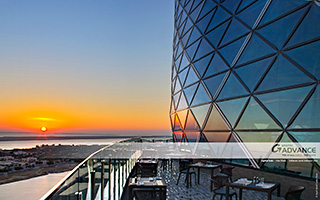
Download GRAITEC wallpaper for September

Without calendar

Size: 1280 x 10241600 x 9001680 x 10501920 x 1200


Advance Design Steel Connections


One of the most complex and time-consuming phases of the steel structures design is the steel connections calculation. This long and complex process requires precision and efficiency and can become a source of errors with unwanted consequences.
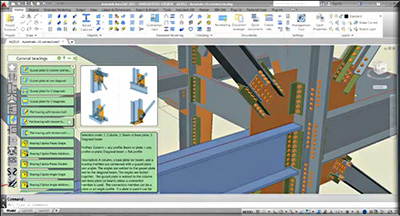
Advance Design Steel Connections (ADSC) is an easy to use and accurate module that offers multiple advantages when it comes to connection design and verification.

Available connection types

The most frequently used connections are available in ADSC. For each connection type, you have a set of advanced options that allow you to modify and customize the corresponding connection. For the calculation of connections and loads combinations, ADSC uses standard methods in accordance with the latest versions of international standards: Eurocode 0 EN1990 – 2003 and Eurocode 3 EN 1993-1-8 – 2005).

This slideshow requires JavaScript.

Fast connection design

ADSC provides the option to create connections with all the corresponding components and features with a single operation. Starting from these templates, the user can completely customize the connection.

Advance Design Steel Connections: Fast connection design

Detailed properties definition

Each connection has a complete set of properties that can be easily defined. For a better understanding, each parameter is illustrated by a small picture in the dialog box. The changes made in the properties dialog box are automatically applied. You can view the modifications in real time, in the graphical area.

Advance Design Steel Connections: Detailed properties definition

Advanced visualization options

For an efficient handling of your model, ADSC offers zoom and view commands that are intuitive and easy to access, pan and orbit functions, various rendering modes, including realistic representations, etc.

Advance Design Steel Connections: Advanced visualization options

Complete calculation reports according to Eurocodes 3

You can obtain complete or synthetic calculation reports for each combination as .rtf or .html files. The reports can be customized to suit your preferences. You can select the information to list in the report along with the verification status:

  • The combination from which the highest stress is obtained, for each verified component.
  • The theoretical formula.
  • The formula for failed verifications only.
  • The work ratio for each verification.

Advance Design Steel Connections is part of the Graitec Advance Suite

Advance Design Steel Connections is part of the Graitec Advance SuiteAs part of the GRAITEC Advance SuiteADSC can be either used as a standalone application or linked with Advance Design.

In standalone mode, ADSC will allow you to easily define the connection (geometry, connected elements, loads, etc.) and design it in a few clicks. Then, you can generate automatically a detailed calculation report and the corresponding drawing.

It is also possible to use this model with Advance Design after a finite element analysis. In this case, Advance Design calculates all the envelopes internal forces for the connection design. Just click in the contextual menu of the connection to export it to ADSC.

Click here to read the full article

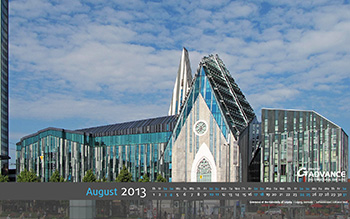
Download GRAITEC wallpaper for August


Download GRAITEC wallpaper for August

With calendar

Size: 1280×10241600×9001680×10501920×1200

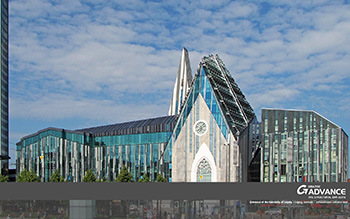
Download GRAITEC wallpaper for August

Without calendar

Size: 1280 x 10241600 x 9001680 x 10501920 x 1200

Advance Steel Project: ARS Electronica Center


Project location: Linz, Austria
Software used Advance Steel
Design Office: Grömer Stahl GmbH
Contracting Authority: Immobilien Linz GmbH & Co. KG
Architecture Office: Treusch Architecture ZT GmbH

Advance Steel Project: ARS Electronica Center

Project description:

The Ars Electronica Center (AEC) is a center for electronic arts, situated in Linz, Austria, at the northern side of the Danube. The new Center, opened in 2009 – the year Linz served as European Capital of Culture, is an enhanced and updated version of the 1996 original. It is also known as the “Museum of the Future” and is one of the most important sights in Linz. The Ars Electronica Center is the architectural expression of what Ars Electronica is all about: a place of inquiry and discovery, experimentation and exploration, a place that has taken the world of tomorrow as its stage, and that assembles and presents influences from many different ways of thinking and of seeing things. The most modern techniques from the technology sector are presented to the museum’s many visitors.

The project with a high degree of complexity was designed using Advance Steel by Architecture Office – Treusch Architecture ZT GmbH, contracted by Immobilien Linz GmbH & Co. KG. The entire structure is covered with a 5000 square meter steel-glass facade, consisting of 200 tons of steel and 1100 square meters of grating. The steel-glass facade is the highlight of the project, because of the LED (liquid emitting diode) technology installed in the space between the two layers of the facade, which allow the building to be illuminated in various colors. Partly matte and partly transparent, the glass panels combine into one continuous glass surface on each side of the building.

The Ars Electronica Center is extraordinary, and not only because of its distinctive architecture. “Innovation” is also always present in the themes of its exhibitions, the structure of its offerings and its communication concept. It emphasizes discovery, experimentation and creativity.

The Ars Electronica Center was nominated at the World Architecture Festival, in 2009, for the cultural building category.

Video: Direct link between Advance Steel and BIM – Review from AceCAD


GRAITEC and AceCAD offer a direct link so that a 3D model done in Advance Steel can be successfully imported in BIMReview and then StruMIS.
This movie demonstrates how users may take advantage of this link by exporting the Advance Steel model to a *.gtcx file format and how this fully detailed model is imported and can be viewed & manipulated like any other BIMReview model.
As you can see with this movie, GRAITEC Advance Steel is fully BIM compliant allowing easy and seamless data sharing with BIMReview for easy project collaboration.

Advance Steel – Stairs and Railings review by CAD Digest Magazine


Advance Steel offers an extensive library of smart objects, automatic joints and specific tools for creating not only standard structures, but also stairs, railing and miscellaneous steel work. CAD Digest, one of the most popular online sources for CAD, CAM & CAE articles and testimonials, reviews the ADVANCE Steel – Stairs and Railings feature set.

For this review, the author created two sets of stairs, one straight andone spiral, describing each step of the process – drawing, editing stairs properties, adding, removing or modifying landings or handrails – highlighting the efficiency and ease-of-use of the software: “I was impressed with how easily Advance Steel creates stairs to my specification, and the ease with which I could modify their properties, along with associated components.

With Advance Steel, it is easy to create, modify and customize all types of stairs, landingsand railings. Using the software’s advanced tools, with a few clicks defining the height, the tread width and the direction, the entire stair can be created.

Other benefits of the stairs and railing feature of Advance Steel include the large library of predefined objects and the automatic creation of all necessary documents (including NC files). “GRAITEC includes a large library of stair tread types, and I had the option to define my own types and save them as templates for future use. I recommend anyone looking for an efficient way to design and document miscellaneous steel projects to consider GRAITEC’s Advance Steel Software.

Read the full article here

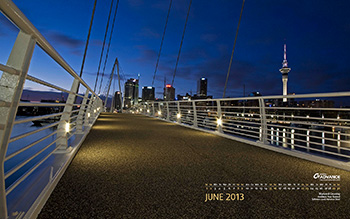
Download GRAITEC wallpaper for June


Download GRAITEC wallpaper for June

With calendar

Size: 1280×10241600×9001680×10501920×1200

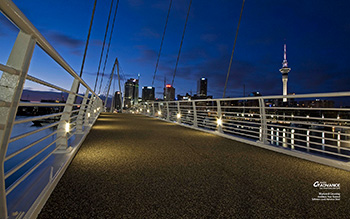
Download GRAITEC wallpaper for June

Without calendar

Size: 1280 x 10241600 x 9001680 x 10501920 x 1200