New and Updated 2017 Software Solutions Now Available from GRAITEC Group


GRAITEC, an international BIM and CAD software developer for AEC, and Autodesk® Platinum Partner in US and across Europe, is delighted to announce the launch of its new GRAITEC Advance Suite 2017, providing the very best modeling and design software solutions to the Architecture, Engineering and Construction market.

GRAITEC has continuously strived to provide first-rate advancements for innovative software solutions to its valued customers, and the recent launch of its new and upgraded product range for 2017 is no exception, proving they are still top of their game in terms of providing top-level Construction, AEC and Building Design software solutions worldwide.

Francis Guillemard, GRAITEC CEO enthuses:Our 2017 product range introduces practical functionality across all products to address the daily needs of our customers, whilst helping us meet the growing demands of our expanding markets. Providing our customers with more choice, better value and improved technological solutions to everyday challenges is a key part of our commitment.Mr Guillemard continues:BIM is also challenging software developers to rethink the way their technology is applied to project design challenges and accessed across globally dispersed teams. GRAITEC is constantly improving how we engage with our customers and continually pushing the technology boundaries to deliver real value to our users and this is reflected in the 2017 product range.

Mr Guillemard concludes:This year we decided to include a preview version of our highly anticipated range of Reinforced Concrete BIM Designers. We wanted to introduce the structural market to the next-generation structural technology that is making it possible to transition to a connected BIM workflow, and use BIM data to provide a high-degree of automation across structural design to detailing cycles, all without having to radically change what they are already doing. It is clear that customer are expecting more from their software and their loyalty will lie with technology that works harder to deliver what they need. We are confident our new range of Reinforced Concrete BIM Designers will set new standards for future BIM technology.”

Advance Design 2017

New and Updated 2017 Software Solutions Now Available from GRAITEC Group

GRAITEC’s flagship Finite Element Design and Analysis solution, Advance Design, has been enhanced to include full integration with the new GRAITEC Advance BIM Designer collection. The Steel Connection BIM Designer, Reinforced Concrete BIM Designers and the Steel Structure Designer integration enables advanced structural BIM workflows and next-gen process automation across disciplines and multiple platforms including Revit®. With a committed focus on improvements in managing steel projects, further updates include the use of Excel to enable tabular access and grid control as a way to easily modify the properties of structural elements, the ability to enable or disable structural objects for calculation, new load groups added to the Moving Load Generator and the possibility to create a rigid element with a single click without having to manually define a rigid section or material, resulting in a highly simplified workflow.

Commencing with the 2017 version, North American users can benefit from a set bundle comprising Advance Design 2017 and Advance Design America 2017. Advance Design America includes the same expert structural analysis and design software, in-line with North American norms and standards. Users are able to install and use either Advance Design or Advance Design America. For further information, please contact one of our GRAITEC offices.

Advance Workshop 2017

Advance Workshop: Steel fabrication production management softwareNew and Updated 2017 Software Solutions Now Available from GRAITEC Group

After the successful launch of Advance WorkshopSteel Fabrication Management Information System last year, the rapid uptake and high demand has seen GRAITEC accelerate development to significantly improve native interoperability with Tekla and Advance Steel. Through embedding its BIM linking software – BIM Connect – advanced connected BIM workflows can be supported and connected to the fabrication process whilst Advance Steel users benefit from an extended profile management, which links directly with Autodesk® Advance Steel databases.

A wider range of CAM Manufacturer’s new machine ranges are supported, whilst provision for smart phone integration can enable cost-effective rapid delivery and tracking of production, using bar codes. The support of Unicode characters and new languages expands the natural market for the product. Users can also manually tweak planning sequencing to improve project management. Additional features comprise new algorithms for importing irregular plate shapes, advanced waste-reduction nesting calculations, stock optimization, material traceability and Time Reader reports for utilization analysis, plus many new features to assist sales and management.

PowerPack for Revit® 2017

PowerPack for Revit Dynamic vertical application provided by GRAITEC for Autodesk Revit users

The GRAITEC Advance PowerPack for Revit® 2017 is compatible with both Autodesk® Revit® 2016 and 2017 and comes with a range of tools dedicated to improving and speeding up the user’s daily experience when using Revit® software. New to this version, the BIM Data Link tool, which links Revit® and Excel, introduces new ways to share and reuse project data whilst uniquely retaining any colours, formatting, filtering and sorting applied in either platform. Two additional exciting new tools, highly requested by users of the PowerPack for Revit® are the Numbering tool and Impact Views Manager.

New and Updated 2017 Software Solutions Now Available from GRAITEC Group

The Numbering tool is incredibly powerful as it can be applied to any Revit® category or family detected in the active project, allowing the created numbering to be further used for tagging everything from rooms to doors and windows to MEP services to grids and everything in between. The numbering tool breaks the traditional boundaries, enabling combinations of active type parameters, prefixes and suffixes as well as grouping to be applied together with user interactive selection sequences or predetermined context sensitive algorithm-paths.

The Impact Views Management tool enables complex views to be created which display both the active elements together with any hidden ‘impact-elements’ or load-bearing elements which may, for example, be above and/or below a selected slab. More unlike traditional workarounds which create static views that do not update, views created with the Impact Views Manager remain connected to the model and update to reflect any changes.

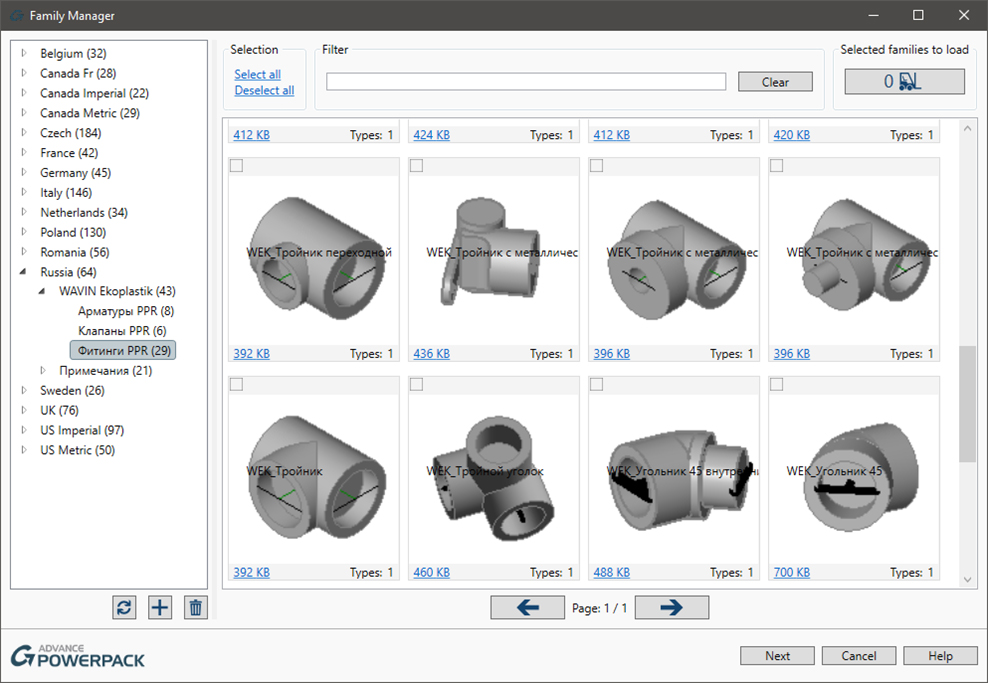
Additional, notable MEP tools include Pipe Opening which detects all clashes between MEP services and Structural elements and allows openings to be applied in all instances on the fly or globally, based on user preferences. The tool monitors all clashes and manages the relationship throughout the project. Other MEP tools include a variety of pipe tags for naming and thickness. Enhancements have also been made to a number of existing tools such as the Family Manager, with the option to add network folders and many more.

GRAITEC is an Autodesk® Platinum Partner in Europe and America and continuously develops its PowerPack to provide significant value to its Revit® customers worldwide.

PowerPack for Advance Steel 2017

PowerPack: Productivity set of tools, templates and connections for Autodesk Advance SteelNew and Updated 2017 Software Solutions Now Available from GRAITEC Group

Compatible with Autodesk® Advance Steel 2017, the GRAITEC Advance PowerPack for Advance Steel introduces a wide selection of exclusive joints, tools and utilities for Advance Steel users. The PowerPack now includes new profiles for worldwide Cold Rolled systems manufacturers with a range of intelligent parametric Cold Rolled joints that automatically adapt to the selected suppliers preferences for purlins, apex-ties and anti-sag systems. These joints combine the functionality of over 15 individual joints to simplify the process of adding cold rolled systems to your projects, or even switching suppliers. Users are also able to select folded or flat plate cleats, stays or sleeves between two purlins. Other improvements can be seen in the commands to export parts to ACIS models and the folded plate extender which adds plates and folds along any selected edge of a plate.

Advance BIM Designers Collection 2017

Advance BIM Designers: Apps for Structural Design, Modeling and Documentation

GRAITEC Advance BIM Designers are a collections of apps dedicated to streamlining structural BIM workflows, for automating the traditional design and modelling processes and the production of technical documentation, and are capable of working on multiple platforms. In this release GRAITEC expands its Advance BIM Designers Collection to include Reinforced Concrete BIM Designers and Foundation BIM Designers, both of which are available as a preview-release and expected to be commercially available after the summer.


Structural BIM Designers

GRAITEC Advance BIM Designers | Steel Structure Designer 2017

Steel Structure Designer 2017

New and Updated 2017 Software Solutions Now Available from GRAITEC Group

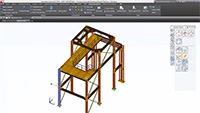
The Steel Structure Designer allows the user to quickly configure complete steel structures in a wide variety of shapes and is fully compatible with Autodesk® Advance Steel and GRAITEC Advance Design. The 2017 version now enables curved roofs to be created in either direction, with purlins that automatically align to the curvature of the roof – a notoriously tricky task to manage manually. This version also sees the introduction of a library feature, with save/load options, and predefined building configurations that instantly create structural buildings complete with bracing, railings, floor beams, platforms, door and window openings, and cladding in a few seconds.

With options for controlling all aspects of setting out or designing a steel structure including column placement, floor management, bracing types, gables walls, openings, and even side rails and roofing systems, including cladding – which is instantly trimmed to the area and around openings and should alone save hours – and the ability to save and load your designs on the fly adding to the library, the Steel Structure Designer is a powerful building configurator that reduces modelling time to a fraction of the time compared with standard modelling practices.

Steel BIM Designers

GRAITEC Advance BIM Designers | Stair & Railing Designer 2017

Stair & Railing Designer 2017

New and Updated 2017 Software Solutions Now Available from GRAITEC Group

Steel Railing Designer 2017 (formerly Ball Post Railing Designer) is fully compatible with Autodesk® Advance Steel 2017 and sees enhancements to the existing Ball Post Railing systems, whilst introducing new railing types including standard railing and wall railing. One of the new key features of the Railing Designer is the ability to now place any railing along a simple line or polyline or even by fixed points, rapidly expanding the flexibility and capability of the system. The Ball Post module supports various user-defined or manufacturer-specific ball post railing systems, with the flexibility to create and modify kickrails, post lengths, handrail parameters, distance between posts, connections and more applies in all cases. The wall mounted railings will be a welcome feature by many users.

GRAITEC Advance BIM Designers | Steel Stair Designer 2017

Steel Stair Designer 2017

New and Updated 2017 Software Solutions Now Available from GRAITEC Group

New to the collection is the Steel Stair Designer which introduces the ability to configure Balanced and Saddled Stairs systems. These new additions to the BIM Designers Collection offer a glimpse of expected future capability and offer new levels of productivity for Autodesk® Advance Steel users. Traditionally, these are very complex or time-consuming stair configurations. Options for the balanced stair include single, double or central stringers from plate, flat or sections, automatically calculated winders with manual override, multiple tread types and complete control over the fixing. Equally applicable to the saddled stair: users can switch between double support stringers from section profiles, to saw-tooth plate stringers with cantilevered treads.

GRAITEC Advance BIM Designers | Steel Connection Designer 2017

Steel Connection Designer 2017 **Preview-Release**

New and Updated 2017 Software Solutions Now Available from GRAITEC Group

New to the BIM Designer Collection, the Steel Connection Designer is an interactive connection designer for calculating common steel connections including Base Plate, Moment End Plate and Apex Haunch to Eurocode EC3. Supporting international design codes, the Steel Connection Designer is compatible with Advance Design 2017 and available as a preview release. With the ability to manage and calculate bolted and welded joints, and with fully detailed design reports that include the calculation formulas and reference to the design code, the Steel Connection Designer introduces a higher degree of accuracy.

Reinforced Concrete BIM Designers

GRAITEC Advance BIM Designers | Reinforced ConcreteGRAITEC Advance BIM Designers | RC Column DesignerGRAITEC Advance BIM Designers | RC Beam DesignerGRAITEC Advance BIM Designers | RC Footing Designer

RC Column Designer / RC Beam Designer / RC Footing Designer 2017 **Preview Release**

New to the BIM Designer Collection, and introducing radical changes including a high-degree of automation to traditional structural workflows, the Reinforced Concrete BIM Designers for Columns, Beams and Footings are compatible with, and integrated in Autodesk® Revit® 2016 and 2017, GRAITEC Advance Design and also available as a standalone solution.

New and Updated 2017 Software Solutions Now Available from GRAITEC Group

Working to EC2 standards, the Reinforced Concrete BIM Designers enable a truly connected and automated structural BIM workflow, leveraging both BIM data and multi-platform integration:

  • Multi-platform integration: One platform that works across Revit® and Advance Design and as a standalone solution
  • Use FEM results to design 3D rebar: FEM engineering results are utilized to produce design-driven 3D cages based on the defined assumptions and can be instantly updated as the project develops
  • Detailed Design Reports: Fully detailed customizable design reports can be produced from any platform at a single click which include detailed calculation formulas with references to the code for rapid validation
  • Documentation: Country specific, user configurable templates enable fully dimensioned and annotated drawing views and sections to be produced automatically, complete with bar schedule and the option to also create a drawing sheet

The Reinforced Concrete BIM Designers can be applied at any stage of the process to support multiple workflows from completely isolated process to a fully connected BIM. For example, the reinforcement generator which uses the FEM results to calculate the rebar, can be used to simply generate rebar cages based on user input. Equally, the user can apply estimated forces and use the Reinforced Concrete BIM Designers to produce the reinforcement cages for the entire project’s columns, beams and footings.

Reinforced Concrete BIM Designers have been localized for Europe and are available as a preview-release, expected to be commercially available after the summer.

If you would like try out the preview-release of the Reinforced Concrete BIM Designers please contact your local GRAITEC office or click here to request access.

BIM Connect 2017

GRAITEC BIM ConnectNew and Updated 2017 Software Solutions Now Available from GRAITEC Group

This powerful, free plugin for Autodesk® Revit® from GRAITEC provides bi-directional, intelligent Structural Building Information Modeling (BIM) model sharing, including the transfer of FEM results data, between GRAITEC engineering and fabrication solutions (Advance Design, Arche, SuperSTRESS, Advance Workshop, etc) and Autodesk® Revit® and Autodesk® Advance Steel products.

BIM Connect 2017 is fully compatible with Revit® 2016 and 2017 and comes with improvements to synchronization control, retaining materials when section changes, definitions of circular sections by the radius or diameter and more. Important enhancements see improved transfer method of efforts from Advance Design to Revit® as well as ways to manage stacked walls, which are no longer exported from the Revit® model, creating seamless structural BIM workflows.


Download GRAITEC wallpaper for July 2016


Download GRAITEC wallpaper for July 2016

With calendar:

Screen resolution:

16:9 – 1920×1080 | 1600×900 | 1366×768 | 1360×768 | 1280×720download here

8:51920×1200 | 1680×1050 | 1440×900 | 1280×800  – download here

5:4 – 1280×1024download here

4:3 – 1024×768download here

3:4 – 768×1024 – download here


Without calendar:

Screen resolution:

16:9 – 1920×1080 | 1600×900 | 1366×768 | 1360×768 | 1280×720download here

8:51920×1200 | 1680×1050 | 1440×900 | 1280×800  – download here

5:4 – 1280×1024download here

4:3 – 1024×768download here

3:4 – 768×1024 – download here

Autodesk Perpetual Licenses Ending for Design and Creation Suites


Deadline fast approaching – After the 29th July 2016 Perpetual Licenses for Autodesk Design and Creations Suites will no longer be available.

Back in January, Perpetual Licenses for individual software products were discontinued and the time is fast approaching for Design and Creation Suites to follow the same suit.

After the above date you will no longer be able to purchase a perpetual licenses of the followings suites:

  • Autodesk Building Design Suite
  • Autodesk Factory Design Suite
  • Autodesk Infrastructure Design Suite
  • Autodesk Plant Design Suite
  • Autodesk Product Design Suite
  • Autodesk 3ds Max Entertainment Creation Suite Standard
  • Autodesk Entertainment Creation Suite Ultimate
  • Autodesk Maya Entertainment Creation Suite Standard

Please note that a number of perpetual licenses for additional individual products will also be unavailable after this date.

What are your options?

  • Purchase perpetual licenses of suites before they are discontinued.
  • Add maintenance subscription to your perpetual licenses to get an array of benefits such as software updates.

Buy a Design or Creation Suite on Subscription and then switch to an industry collection at a later date. Find out about industry collections here.

To discuss your current licenses, Industry Collections and to find out more on the discontinuation of perpetual licenses for design and creation suites, just contact your local Graitec office today.

***** Please place any orders by Friday 29th July 2016 to allow for order processing. 

Enter the Autodesk AEC Excellence Awards 2016 and showcase your company


If you are in the Infrastructure, Building or Construction industry and you use Autodesk software for innovative BIM workflows then enter your projects/s into the AEC Excellence Awards 2016 and be in with a chance of winning some sensational prizes such as a trip to Autodesk University 2016. 

AEC_Excelence_Awards

This competition has been running since 2012, recognizing, showcasing and rewarding a number of pioneering BIM for Infrastructure projects and this year they have expanded the categories and will also be including Building and Construction as well. Furthermore, if you have done a small or niche project then there is also a number of sub categories too i.e. computational design, fabrication etc.

With a massive 19 categories in total you are allowed to submit up to 5 projects and what’s even better is that you will receive public recognition just by submitting your projects as entries get showcased in a book which gets shared and publicised across the globe.

 The deadline for entering is the 30th June 2016!

To find out more about the Autodesk AEC Excellence awards including the rules, prizes, judges and how to enter, just CLICK HERE!

Gareth Spencer, on the GRAITEC Advance PowerPack for Revit in AUGIWorld


AUGIWorld is the official magazine of Autodesk User Group International (AUGI), distributed on a monthly basis to all AUGI members around the world.

In the June 2016 edition, Gareth Spencer, BIM Consultant working for GRAITEC and certified professional in Revit Architecture and Structure, presents the advantages of using GRAITEC Advance PowerPack for Revit for enhancing concrete detailing. Gareth explains the necessity of modeling reinforcement in the 3D Revit model, and introduces the GRAITEC Advance PowerPack for Revit as a versatile add-on for Revit, which can help users work more efficiently.

Gareth Spencer, on the GRAITEC Advance PowerPack for Revit in AUGIWorld

Gareth presents some of the most useful tools in PowerPack, such as:

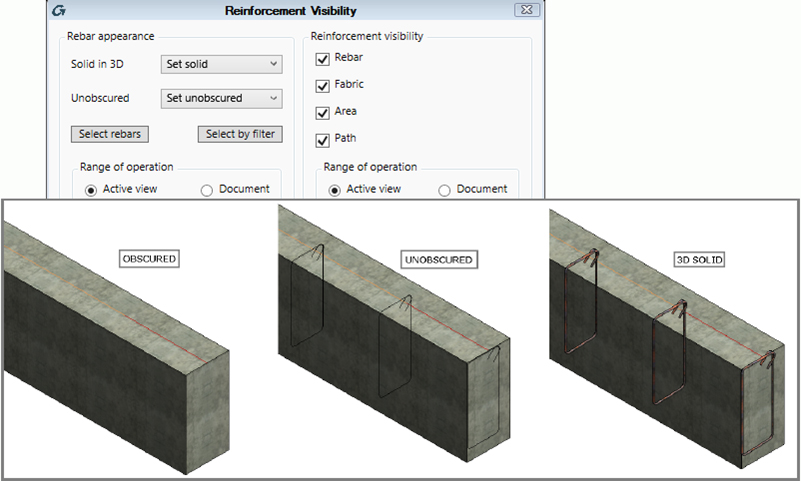
  • Rebar Visibility, used for changing the view’s visibility state, so as to show rebar unobscured and/or as solids in 3D views, or for hiding certain elements;

Gareth Spencer, on the GRAITEC Advance PowerPack for Revit in AUGIWorld

  • Copy Rebar, allowing users to select element rebar, and then copy it to an identical or similar element with no reinforcement assigned;
  • Transversal Distribution, which automatically generates transversal rebar sets with multiple spacing for linear elements.
  • Trim/Extend, used for adjusting the created reinforcement to the shape and particularities of the host element, in a quick and intelligent manner.

These useful new tools are complemented by several commands and functionalities for increasing productivity while working in Autodesk Revit:

  • Family Manager, used for managing Revit families (by searching, selecting or filtering family lists to select the desired families to be imported in a project), either on a local computer, or in a company network;

Gareth Spencer, on the GRAITEC Advance PowerPack for Revit in AUGIWorld

  • Family Exporter, allowing users to select and export all families at once, or select desired families from the list;
  • Auto Section Box, which automatically creates a 3D view of the selected elements, and even duplicates it;
  • Dimension Annotations, a set of tools for automatic generation of dimension lines for overall dimensions, grids, external geometry, structural, and openings.

Read the full review here, on page 14

Download GRAITEC wallpaper for June 2016


Download GRAITEC wallpaper for June 2016

Screen resolution:

16:9 – 1920×1080 | 1600×900 | 1366×768 | 1360×768 | 1280×720download here

8:51920×1200 | 1680×1050 | 1440×900 | 1280×800  – download here

5:4 – 1280×1024download here

4:3 – 1024×768download here

Don’t Miss Out on Graitec’s Inventor User Group Day – Only 1 Week Away!


Have you registered your place?

Our Inventor User Group day is a must for any manufacturers who wish to use the latest groundbreaking Autodesk products. 

Graitec's Inventor User Group Graitec’s Inventor User Group is an enjoyable and informative day where you can learn all about the latest features, tips and tricks within key Autodesk manufacturing software such as Inventor 2017 and Nastran In-CAD.
Attend our event and learn an array of useful skills, which can all be implemented into future projects allowing you to further improve workflows and save time.

Moreover, all sessions will be conducted by Autodesk and Graitec technical consultants who are experts within their field, so bring any software or technical questions you have and ask away!

The busy agenda includes What’s New Inventor 2017, Nastran In-CAD, business automation and all the hottest tips and tricks.

Find out all of the details at our event page.

Date: Tuesday 7th June 2016

Time: 9.30am – 3.20pm (Registration open from 8:30am)

Location: The Ageas Bowl, Southampton, UK


Register today before it’s too late and make sure you hit your competitors for six with your software expertise!

Autodesk Announces Autodesk Industry Collections


In a bold move Autodesk today announced the release of Autodesk Industry Collections to deliver users even more value and full access to industry specific selections of software.

Autodesk Announces Autodesk Industry Collections

Industry collections will consist of a mixture of selected software titles and cloud services geared to the needs of particular industry sectors to enable customers to have access to a much wider mixture of the most commonly used and essential software titles and leave them free to focus on project delivery as opposed to which version of a suite is the right one.

Initially collections available from the 1st August 2016 will be the:

*    Architecture, Engineering & Construction Industry Collection

*    Product Design Industry Collection

*    Media & Entertainment Collection 

Contact your local GRAITEC office to find out more

Discover how the latest Autodesk technology can help you increase productivity


Discover how the latest Autodesk technology can help you increase productivity

Come and join us and your peers at one of our FREE annual Autodesk AEC 2017 Product Launch Events to:
See the benefits of the latest Autodesk technology to help improve your project workflows.

This year will see a deeper dive into workflows including a design brief, feasibility study and conceptual design through to collaboration.

Network with your peers, pick up valuable productivity tips and get a first-hand overview of new features and functionality.

If you’ve ever been to one of our annual launch events, you’ll know how popular and beneficial they are, so booking early is recommended as places are already starting to book up!

We hope to see you at one of our events!

Here are the locations where you can find us in May:

May 24th Oberhausen
Germany
TZU Technologiezentrum DETAILS
May 26th Nottingham
United Kingdom
The Nottingham Belfry DETAILS
May 31th Salzburg
Austria
Veranstaltungszentrum im Techno-Z DETAILS

GRAITEC Delivers Autodesk Advance Steel Detailing Software Training During its Annual User Group


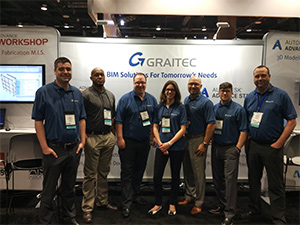
Each year GRAITEC hosts a North America advanced training focused on Advance Steel, Autodesk’s structural steel detailing software. This year the User Group took place in Orlando, Florida on April 26-28.

GRAITEC User Group welcomed Autodesk Advance Steel users from US and Canada and from all areas of the building and construction industry, including Steel and Precast Detailers, Steel Erectors, Steel & Precast Fabricators, Structural Engineers and Contractors. This 3 day event included in-depth workshops, technical sessions and networking.

The objective of the User Group is for all attendees to develop their Advance Steel skills, learn about trends within the building and construction industry and network with other industry professionals.Hugo Michaud, Graitec General Manager Americas.

For this second edition, GRAITEC was pleased to welcome once again Michael Gustafson, P.E. Autodesk Industry Strategy Manager, Structural Engineering who talked about the Future of Advance Steel, and presented all the new features available in the 2017 version.

The User Group attendees explored the extensive portfolio of GRAITEC and Autodesk latest advanced BIM technology. Indeed, GRAITEC experts gave intense training on various topics: Management Tools Database, Connectors & Special Parts, Custom Connection, Project Management & Mutli User, Plateworks, Drawing Styles Customization etc.

I liked seeing the capabilities of Advance Workshop, GRAITEC’s Steel Fabrication Management Information SoftwareBill Wellman, NCI Buildings Systems

This event allowed GRAITEC to introduce Advance Workshop, its steel fabrication management information software. One-on-One sessions took place in order to discuss about its BIM workflow with Advance Steel, its ERP Systems integration, its real-time material traceability and more. GRAITEC demonstrated how Advance Workshop enables companies to drive increased efficiency and improved profitability.

The Drawing Styles session revealed many hidden features!Tim Schroder, Enginuity Engineering & Design

Professionals of the industry learned about the latest BIM solutions which will help them win and complete more projects with even greater accuracy and efficiency such as:

  • Autodesk Structural Fabrication Suite, the new Autodesk complete toolset for structural engineers and fabricators which combines Navisworks Simulate, AutoCAD, Revit and Advance Steel).
  • The new version of the extension PowerPack for Advance Steel which delivers additional tools and unique value to users. This version introduces more automation and functionality enabling them to boost their output and improve quality.
  • GRAITEC Advance BIM Designers collection of applications for Structural Design, Modeling and Documentation which run on multiple platforms including Revit, Advance Design, Advance Steel enabling flexible and intelligent structural BIM workflows.

It was a great pleasure meeting with Advance Steel users and hearing how they plan to prepare for a more connected future in steel fabrication.Michael Gustafson, Autodesk P.E. Industry Strategy Manager, Structural Engineering

The success and positive feedback of this event consolidated GRAITEC’s confidence in its BIM and CAD solutions and clearly strengthen its professionalism and position as an international BIM provider and Autodesk’s partner in North America.

This training was very beneficial, especially the session on PowerPack 2017. We discovered new features that we haven’t used yet that will help our detailing processes. The course on Management Tools Database also offered useful information presented to help with the proper management of Advance Steel.Magnus Rovillos, Steelway Building Systems

Read more about the agenda graitec.com/us/user_group.asp

GRAITEC Announces Return of BIM Tour 2016 – Connected BIM


GRAITEC, an international BIM and CAD software developer for AEC, and Autodesk® Platinum Partner in US and across Europe, is delighted to announce the return of their annual BIM Tour 2016, covering many prominent countries and cities throughout Europe.

GRAITEC Announces Return of BIM Tour 2016 – Connected BIM

2015 saw the first ever European wide BIM Tour held by GRAITEC conclude with great success. Coordinated across 18 key European locations in Poland, Romania, France, Germany, UK, Slovakia, Italy and Czech Republic, enabling GRAITEC expert BIM professionals to share real-world experiences, intelligence and knowledge with over a thousand industry professionals over a six-month period.

Building Information Modeling (BIM) is constantly evolving and businesses are fast becoming aware of the term but there is still a major learning curve involved as more organisations embrace BIM and refine their processes and workflow. This year, GRAITEC focuses on ‘Connected BIM’ and the Tour has been designed as a platform to inform and assist companies across Europe with practical advice for successful implementation of integrated BIM technology, including strategies, processes and skills development throughout their businesses.

After last year’s hugely successful inaugural tour, GRAITEC is pleased to announce its BIM Tour 2016 – Connected BIM is now confirmed to start later this month. The GRAITEC BIM Tour – Connected BIM will once again visit prominent European cities, and expects to attract an even larger attendance. GRAITEC, worldwide Platinum Partner, has the full support of Autodesk and will feature presentations from industry specialists, Autodesk key personnel and GRAITEC experts. Discussion topics will include ‘the era of connection’, ‘BIM for AEC’, ‘BIM for Infrastructure’, ‘BIM 360 & Cloud’, and many others. GRAITEC will also be sharing a variety of cross-industry BIM success stories of customers from around the world, including over 140 ongoing BIM implementations in SME and BlueChip companies, and looking back at the results of countless past successes.

There are over twenty dates lined up for the GRAITEC BIM Tour in key locations across Europe. Commencing 24th May 2016 in the German city of Oberhausen, followed by further dates in Germany and across the UK. The tour will then move to Padua, Rome and Milan in Italy, six prominent locations in France including Lyon and Toulouse, Slavonice in Czech Republic, Slovakia’s capital; Bratislava, and across Romania and Poland throughout the summer and into autumn.

Stay connected and click here to register your interest and for more information on these events

For Less Than $150 – the GRAITEC PowerPack for Revit® is a No Brainer


GRAITEC, international BIM and CAD software developer, announced today that following the rapid success of the PowerPack for Revit®, which has seen more than 3000 licences delivered worldwide in just over one year, GRAITEC has opted to reduce the annual subscription price of the PowerPack for Revit® to below $150 per user. This move comes as an effort to make the PowerPack for Revit® more accessible to a wider Revit® user-base and to further accelerate uptake of its Revit® add-on worldwide.

For Less Than $150 – the GRAITEC PowerPack for Revit® is a No Brainer

Carl Spalding, GRAITEC Product Strategy Director comments:The PowerPack for Revit® has proven more successful than we could have predicted. Our initial objective was to offer the PowerPack for Revit® as a loyalty benefit exclusively for our Revit® subscription customers. This remains the case today and continues to differentiate GRAITEC from other Autodesk resellers. However the demand from users outside the territories in which we operate – and those from where we do operate but are perhaps locked into contracts preventing them from switching their subscription – quickly identified that we were missing an opportunity to address the needs of a much wider user-base.

The current version of the PowerPack for Revit® offers over 60 practical tools covering a broad spectrum of basic and advanced everyday user-needs. With tools for browsing and loading families graphically, converting libraries of 3D CAD files to Revit® Families, quickly placing and displaying rebar in concrete elements, even password protecting your personal Revit® Families and so much more. Now every Revit® user across the board can easily identify one or more PowerPack tools that will address a laborious process.

Customers who have already purchased the PowerPack for Revit® will also benefit from the change as they will see their subscription fee reduced to the new price on the anniversary of their contract renewal.

GRAITEC Product Strategy Director continues:Revit® users from all disciplines are constantly looking for tools to help them become more productive. After trawling the web and narrowing the possible options to a handful, the final decision often comes down to price. We are confident that no other tool-kit for Revit®, or any combination of individual tools for the matter, comes close to the value offered by our PowerPack, not only in terms of its deliberately low price but more importantly, because of the variety and practicality of the quality tools offered.

Carl concludes: “GRAITEC is well known for its ambitious growth strategy and the PowerPack for Revit® is another example of how disrupting traditional practices and adding more emphasis on the value of customers is helping us move closer to our goal. Our aim is to deliver unrivalled solutions to real-world challenges, and in a way that we believe is almost impossible to replicate. The decision to revise the price of the PowerPack for Revit® will enable us to address the needs of more Revit® users and increase recognition of the GRAITEC brand worldwide. The new annual subscription fee of the PowerPack makes it a no-brainer for any Revit® user, regardless of the size, type or location of their company.

As an approved Autodesk developer partner, GRAITEC has created a wide range of add-ons for Autodesk products for over 25 years.

Useful Links:

Download GRAITEC wallpaper for May 2016


Download GRAITEC wallpaper for May 2016

Screen resolution:

16:9 – 1920×1080 | 1600×900 | 1366×768 | 1360×768 | 1280×720download here

8:51920×1200 | 1680×1050 | 1440×900 | 1280×800  – download here

5:4 – 1280×1024download here

4:3 – 1024×768download here

3:4 – 768×1024 – download here

Advance Steel 2017 & Advance Concrete 2017 now available


GRAITEC, an international BIM and CAD software developer for AEC, and Autodesk® Platinum Partner in US and across Europe, is pleased to announce that Autodesk® Advance Steel 2017 and Autodesk® Advance Concrete 2017 are now available from Autodesk.

GRAITEC, an international BIM and CAD software developer for AEC, and Autodesk® Platinum Partner in US and across Europe, is pleased to announce that Autodesk® Advance Steel 2017 and Autodesk® Advance Concrete 2017 are now available from Autodesk.

Autodesk® Advance Steel 2017 provides new features and enhancements to help improve productivity and usability whilst creating your fabrication documents more easily with tools to support a connected BIM workflow.

With new connections and profiles for international suppliers, more tools for cleaner documentation, options to manage Fabrication status data, and the ability to synchronise not just the structure but also the fully parametric steel connections with Revit, not to mention the ability to publish, share and collaborate with BIM360 using native Advance Steel drawing format – and whilst remaining connected to the source Advance Steel 3D model, Autodesk® Advance Steel 2017 delivers a more mature solution to create better coordinated designs and documentation.

Whilst Autodesk® Advance Concrete 2017 provides a more robust environment for completing and detailing concrete projects with links to Autodesk® Revit® for enhanced BIM centric workflow that supports an end-to-end solution.

Advance Steel is complimented with the GRAITEC PowerPack adding more functionality and further automating common repetitive tasks. PowerPack for Advance Steel can be downloaded directly from the Autodesk App Store as a free trial.

Other complementary solutions for Advance Steel available from GRAITEC include:

  • Steel Structure Designer – Create, adjust and configure complete structures of all shapes and sizes in minutes.
  • Ball Post Railing Designer – Adding ball post railings in Advance Steel is quick and simple with this dedicated ball post railing app.

Complimentary Reinforced Concrete design and detailing tools from GRAITEC include:

  • PowerPack for Revit – over 40 new tools dedicated to reinforced concrete modelling, editing and documentation.

Carl Spalding, Product Strategy Director comments:It is clear BIM is transforming how teams collaborate and build their projects across the globe. The Autodesk 2017 products are certainly ahead of the curve in delivering solutions to support their user’s needs for BIM centric workflows. This is evident from the harmonised structural steel workflows possible between Revit and Advance Steel dramatically reducing the initial design and rework effort for steel modelling and detailing.

Carl continuesBut this is just the tip of the iceberg. The biggest trend we are experiencing comes from the concrete sector frantically looking to replace traditional 2D detailing systems, which often break the BIM to fabrication workflow causing inevitable bottlenecks, with practical BIM-centric reinforced concrete solutions. The new reinforcement capability in Autodesk 2017 products, combined with complementary Add-ons and Apps from Graitec, demonstrate our commitment to delivering every-day reinforced concrete tools that support a BIM workflow. Looking ahead users can benefit from robust structural BIM workflows which promote the reuse of engineering BIM data, otherwise ignored when transferring project models, to enable structural projects to be completed more efficiently directly within Revit.

BIM 360 UK Tour


Attend Graitec's BIM 360 Tour event in London on the 12th May 2016

Attend GRAITEC’s BIM 360 Tour event in London on the 12th May 2016 and learn all about the future of construction collaboration!

Our BIM 360 tour events are aimed at:

Architects, structural & MEP engineers, main contractors, building owners & operators and the sub contract supply chain.

We have two more stop’s on our BIM 360 UK Tour after London: 

Manchester – 14th June 2016 and Newcastle – 15th June 2016.

Technologies and trends are significantly impacting and disrupting the construction industry today and will continue to do so in the future.

Effective collaboration is becoming crucial as construction cycles are becoming shorter and project stakeholders at all levels demand deeper insight into projects and greater visibility early in the process, driving the need for instant global access to up to date centralised dynamic data.

Join us in London for a BIM 360 Tour event as we help you understand the Future of Project Collaboration, how it can help you and the opportunity you have to help shape the future of construction collaboration.
Topics covered on the day include:

  • Future of making things in construction
  • Technology overview – introduction to the BIM 360 technologies
  • Understanding the challenges of collaboration and delivering to PAS 1192
  • Using BIM 360 technology to address the collaboration challenges of PAS 1192
  • How Can Graitec Help

Furthermore, the person or company who registers the most people who attend the event will be invited to a once in a lifetime trip to San Francisco* to meet Autodesk at Pier 9 and visit the Autodesk gallery.

Click the button below to find out more about the BIM 360 Tour, the prize to San Francisco and to register.

Find out more

GRAITEC delivered new tools and solutions for BIM and steel fabrication during NASCC 2016


GRAITEC, international BIM and CAD software developer for AEC and Autodesk® Platinum Partner in US and across Europe, delivered new tools and solutions for BIM and steel fabrication during the NASCC Steel Conference in Orlando, FL on April 13-15 2016.

GRAITEC delivered new tools and solutions for BIM and steel fabrication during NASCC 2016

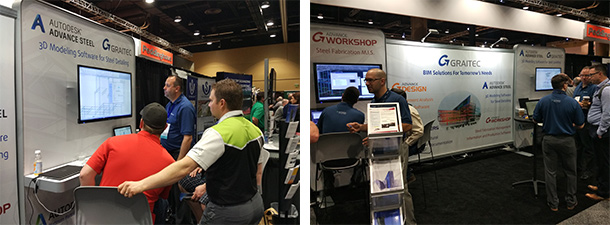
The NASCC Steel Conference is an annual event put on by the American Institute of Steel Construction (AISC). It’s designed as a forum for engineers, fabricators and detailers to learn about structural steel design and construction.On April 13, GRAITEC experts showcased five new and enhanced products focused on BIM and fabrication: two productivity extensions for Autodesk Revit and Autodesk Advance Steel; a new release of the structural analysis solution, Advance Design; a new Steel Fabrication Management Information System (MIS) called Advance Workshop and Autodesk® Advance Steel 2017, 3D BIM software for steel modeling and detailing.

Autodesk® Advance Steel, Structural Steel Detailing Software

Advance Steel 2017 - Add Formula to BOM Reports

Advance Steel 2017 – Add Formula to BOM Reports

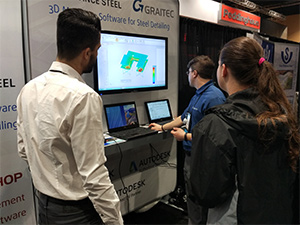
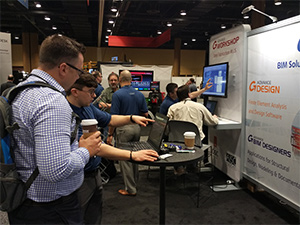
Autodesk as a launch-pad for the new version of Advance Steel, Autodesk’s easy-to-use and comprehensive software for structural steel detailing. At their booth, GRAITEC experts gave live demonstrations of the 3D modeling software for steel detailing based on AutoCAD®. Advance Steel is a leading edge steel construction application designed for steel professionals. Its model based environment allows to produce accurate detailed general arrangement and shop drawings faster, helping to speed time to erection and fabrication. The various improvements, new features and Autodesk Revit and GRAITEC solutions’ interoperability help overcome challenges thanks to a better BIM workflow.

GRAITEC delivered new tools and solutions for BIM and steel fabrication during NASCC 2016

Advance PowerPack, add-on for Autodesk® Advance Steel

Advance PowerPack for Advance Steel Create beam stiffeners (watch the video)

Advance PowerPack for Advance Steel Create beam stiffeners (watch the video)

GRAITEC’s powerful add-on introduces a wealth of localised manufacturer profiles and more predefined default settings. New tools are developed to easily define spirals, helices using different combinations between start, centre and end point and radius or angle. This extension also introduces cloud connectivity and integrates bi-directional links with Advance Workshop, GRAITEC’s newly launched Steel Fabrication MIS solution, enabling Advance Steel users to retrieve and graphically display colour-coded production statuses in their models.

Advance Workshop, Steel Fabrication Management Information Software

Advance Workshop Production planning controlled with live information on demand through a simple graphical interface (watch the video)

Advance Workshop
Production planning controlled with live information on demand through a simple graphical interface (watch the video)

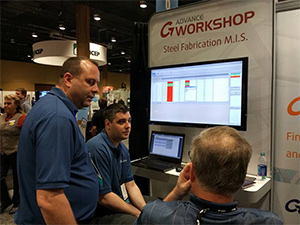
GRAITEC’s versatile, well-rounded fabrication management solution (MIS) is perfect for optimising, controlling and managing every aspect of the process with high levels of accuracy and quality. It is similar to an enterprise resource management (ERM) system, although Advance Workshop links directly to Autodesk Advance Steel. It allows the system to access and use 3D data from the detailing software. This helps increase production and lower costs.

GRAITEC delivered new tools and solutions for BIM and steel fabrication during NASCC 2016

Advance Design, BIM software for FEM Structural Analysis

Advance Design New cross library for Precast Concrete Bridge Beams  (watch the video)

Advance Design
New cross library for
Precast Concrete Bridge Beams
(watch the video)

Meanwhile, the new release of Advance Design, GRAITEC’s FEM structural analysis solution, was also showcased. It comes with a new ‘ergonomic’ ribbon-based user interface designed to make it easier to navigate and access tools more efficiently. This version offers more than 140 improvements and corrections. The bi-direction link between Advance Design and Autodesk Revit has also been updated to enable the sharing of BIM models containing building performance data, including support for transferring the actual FEM results to the Revit environment.

GRAITEC delivered new tools and solutions for BIM and steel fabrication during NASCC 2016

Advance PowerPack, add-on for Autodesk Revit

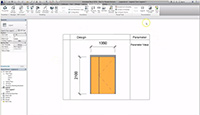
A powerful extension was also demonstrated during the event. This new application for Revit users of all disciplines. It offers tools for more efficient modeling, controlling annotations and dimensions, importing data from Excel, exporting to .DWG format and the ability to share BIM models between Autodesk Revit and Advance Design.

Advance PowerPack for Autodesk Revit Define the set of elements to be included in the legend unit, then create, modify, copy and filter legend parameters (watch the video)

Advance PowerPack for Autodesk Revit
Define the set of elements to be included in the legend unit, then create, modify, copy and filter legend parameters
(watch the video)

NASCC visitors particularly appreciated all these new innovations, BIM-oriented solutions which all optimize security and productivity. Based on this success, GRAITEC has already booked his place for the next NASCC on March 22-25, 2017 – San Antonio, Texas. We look forward to seeing you there!

GRAITEC delivered new tools and solutions for BIM and steel fabrication during NASCC 2016


Download GRAITEC wallpaper for April 2016


Download GRAITEC wallpaper for April 2016

With calendar

Screen resolution:

16:9 – 1920×1080 | 1600×900 | 1366×768 | 1360×768 | 1280×720download here

8:51920×1200 | 1680×1050 | 1440×900 | 1280×800  – download here

5:4 – 1280×1024download here

4:3 – 1024×768download here

Download GRAITEC wallpaper for April 2016

Without calendar

Screen resolution:

16:9 – 1920×1080 | 1600×900 | 1366×768 | 1360×768 | 1280×720download here

8:51920×1200 | 1680×1050 | 1440×900 | 1280×800  – download here

5:4 – 1280×1024download here

4:3 – 1024×768download here

Learn about the benefits of BIM in your Construction Industry Sector!


BIM for Housebuilders

This webinar will focus on the benefits of using BIM in the residential industry, including how government mandates may affect this sector. We will also look at a pilot project that shows the benefits achieved on a small scale housing development. The session will include a presentation and live demonstrations.

Key areas of focus include:

  • Understanding the Government mandate for 2016 and 2025
  • Key drivers of BIM
  • Automated information
  • Intelligent modelling
  • Working with the supply chain.

Date: 21st March 2016
Time: 10:00 AM – 11:30 AM

Register your place today!

BIM for Infrastructure

This session will look at the workflows between early concept through to finished design; as well as focusing on the advantages of using Infraworks and Civil3D. Ian Robinson will highlight the ease of looking at different design options using real-world data such as georeferenced data. This will allow the user to consider potential issues such as flooding.

This web demonstration will cover:

  • Early design with Infraworks
  • Looking at different initial options for roads, plots, and bridges
  • Understanding the workflow between Infraworks and Civil3D
  • Working with real-world design rules for roads
  • Automating data and live sectioning

Date: 1st April 2016
Time: 10:00 AM – 11:30 AM

Register your place today

BIM in Local Governments

This webinar will focus on the government mandate, and how this affects local governments. Gareth Spencer will talk about working internally on products (discipline to discipline), as well as working with external consultants/contractors. In this session he will also introduce the documentation required from local government to external consultants.

Topics covered will include:

  • Understanding the Government mandate for 2016 and 2025
  • Working with central models within Local Government
  • Sharing data with external consultants
  • Achieving repetition work internally
  • Automated information
  • Working with external consultants

Date: 11th April 2016
Time: 10:00 – 11:30 AM

Register your place today!

Download GRAITEC wallpaper for March 2016


Download GRAITEC wallpaper for March 2016

With calendar

Screen resolution:

16:9 – 1920×1080 | 1600×900 | 1366×768 | 1360×768 | 1280×720download here

8:51920×1200 | 1680×1050 | 1440×900 | 1280×800  – download here

5:4 – 1280×1024download here

4:3 – 1024×768download here

Download GRAITEC wallpaper for March 2016

Without calendar

Screen resolution:

16:9 – 1920×1080 | 1600×900 | 1366×768 | 1360×768 | 1280×720download here

8:51920×1200 | 1680×1050 | 1440×900 | 1280×800  – download here

5:4 – 1280×1024download here

4:3 – 1024×768download here

Go Further with the Productivity Add-On for Revit®


Go Further with the Productivity Add-On for Revit®

PowerPack Tools for Revit®
ARRANGE YOUR WINDOWS ANY WAY YOU LIKE

Featured Tool:

Windows Control

Tile, cascade and arrange windows to your preference

Easily show all windows currently in use

Centre the view in all open windows

Adjust the displays and view various model plans


OVER 40 NEW REINFORCEMENT, MODELING
AND ANNOTATION TOOLS FOR REVIT®

TRY IT NOW