One of the specific and more difficult types of reinforcement to model in Revit is punching shear reinforcement on RC slabs. In this short article, we will look at how you can improve the process of preparing the drawing documentation in Revit by generating punching reinforcement using the Dynamo script, based on the reinforcement calculated in Advance Design.
Apart from the preparation of the script in Dynamo, the operating procedure consists of several simple steps:
Calculate the Punching Shear Reinforcement with Advance Design in a model synchronized with Revit.
Export the Punching Shear Reinforcement results from Advance Design to Excel, using results tables.
Create and Run a Dynamo script that reads the data from the Excel sheet and generates the appropriate reinforcement in Revit.
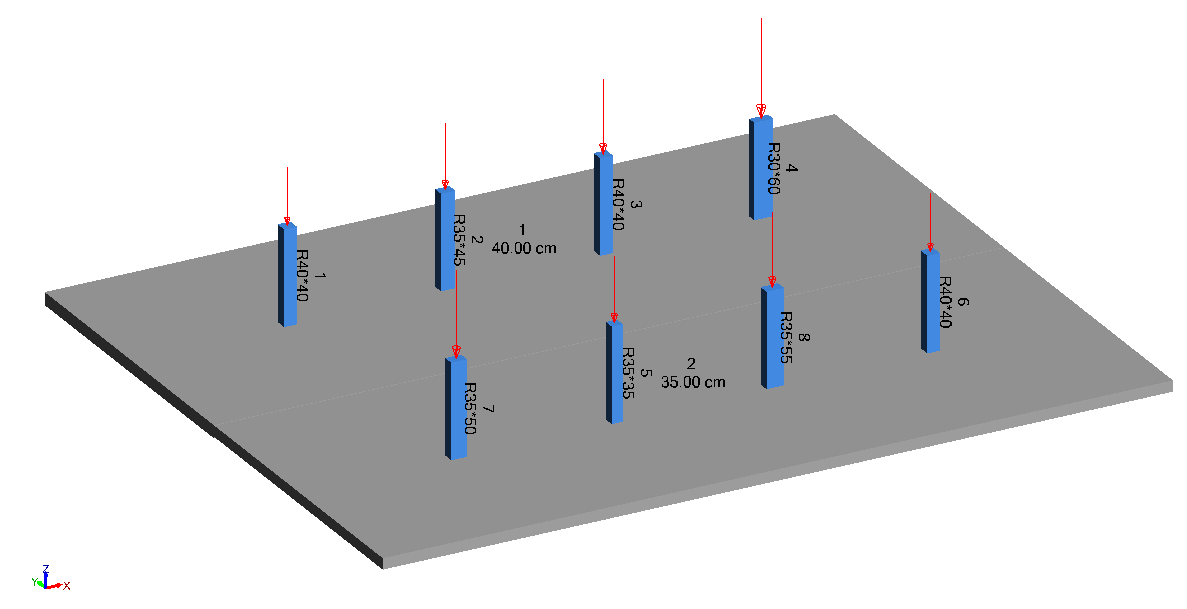
The basis of the presentation will be a RC slab supporting columns that is calculated in Advance Design and then synchronized with Revit. Although we use a simple model with some plates and columns to present the process, we can successfully apply it to real projects.
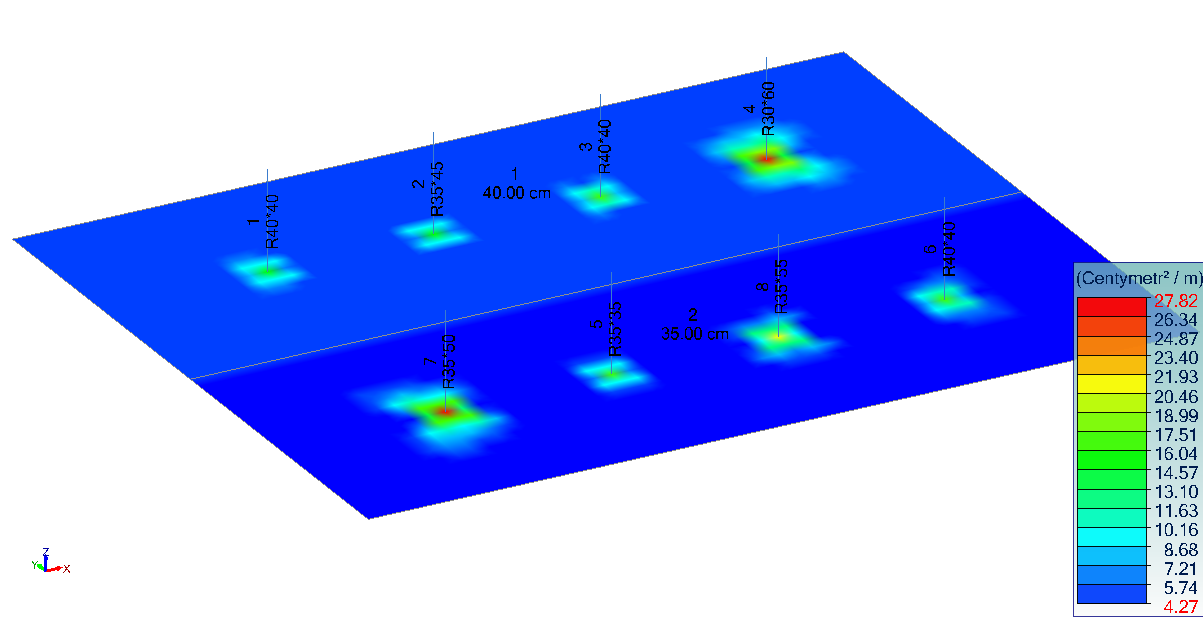
Figure 1 – Model in Advance Design Figure 2 – Top reinforcement area in Advance Design
In the example, the design calculations of reinforcement in reinforced concrete slabs were carried out, as well as the verification of the shear punching along with the determination of the required reinforcement.
In the case of bending reinforcement in the slab, we can automatically generate the reinforcement in Revit using Advance PowerPack tools. Also, with the use of the PowerPack, we can create additional structural reinforcement, such as edge or hole reinforcement.
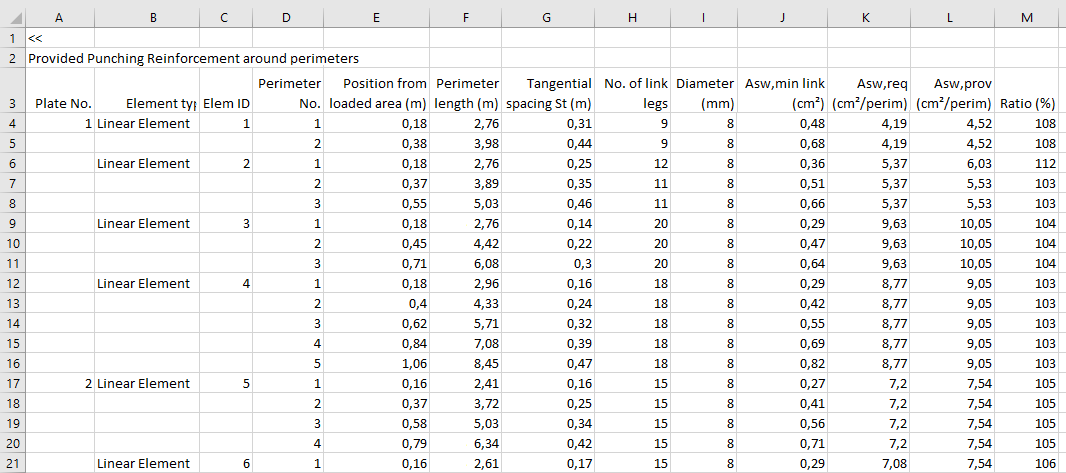
In this example, however, we will only focus on the punching shear reinforcement. For this purpose, we export the report table ‘Provided punching reinforcement around perimeters’ from Advance Design to Excel sheet. The table contains all the data we need, including the ID numbers of slabs and columns, the location of perimeters with punching shear reinforcement, the number and diameter of bars in the perimeters as well as spacings.
Figure 3 – Provided punching reinforcement table exported to Excel
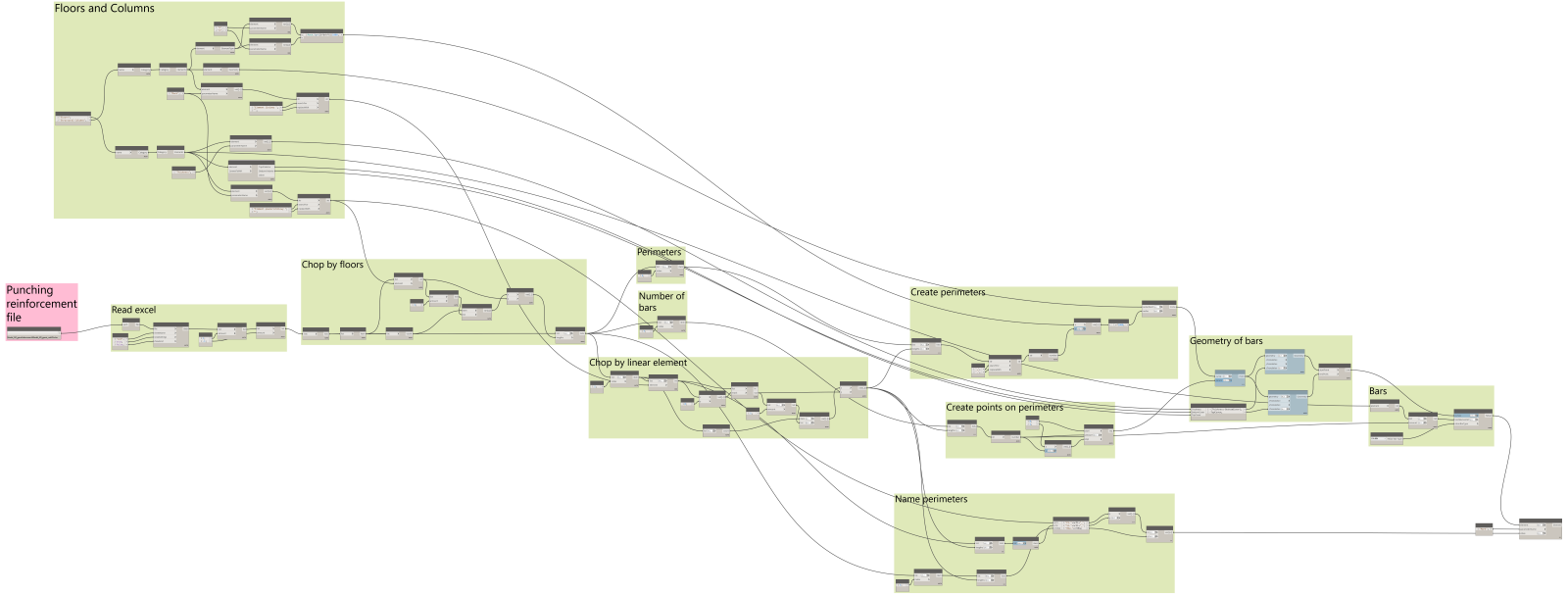
The Dynamo script needs only one input – Excel file. It extracts data from the spreadsheet and then groups the read data relative to plates and columns. Then the existing floors and structural columns in Revit model are found using the numbers stored in the ‘mark’ parameter, which was completed during model synchronization with Advance Design. Then other required information is collected from the Revit model, such as floor thickness, reinforcement cover or column geometry parameters. In the next step vertical bars of the shear punching reinforcement are generated, and thanks to the fact that they are grouped into perimeters, bars can be inserted as one set in Revit.
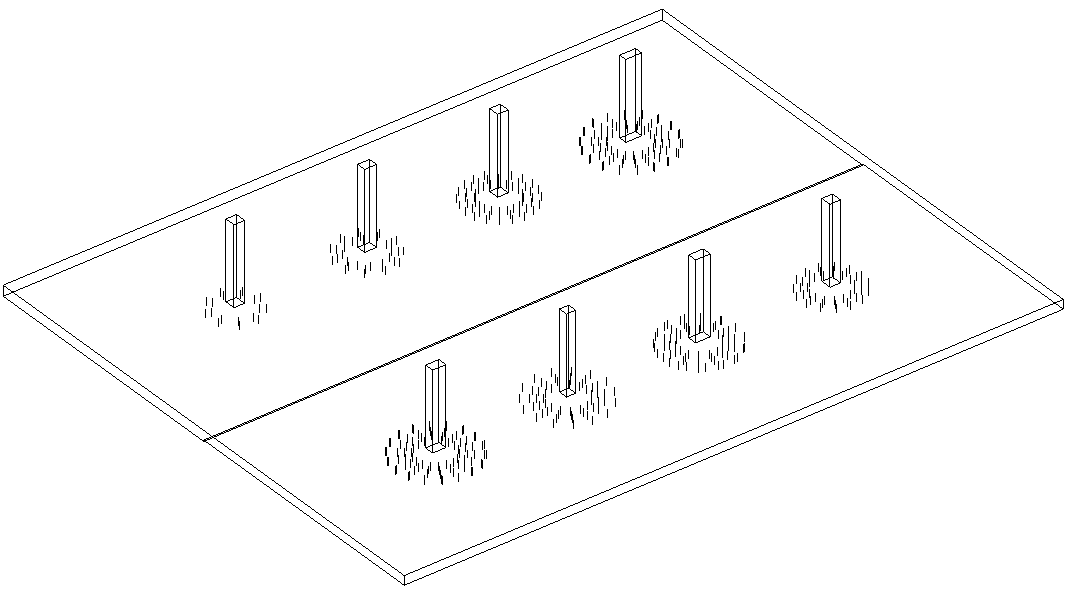
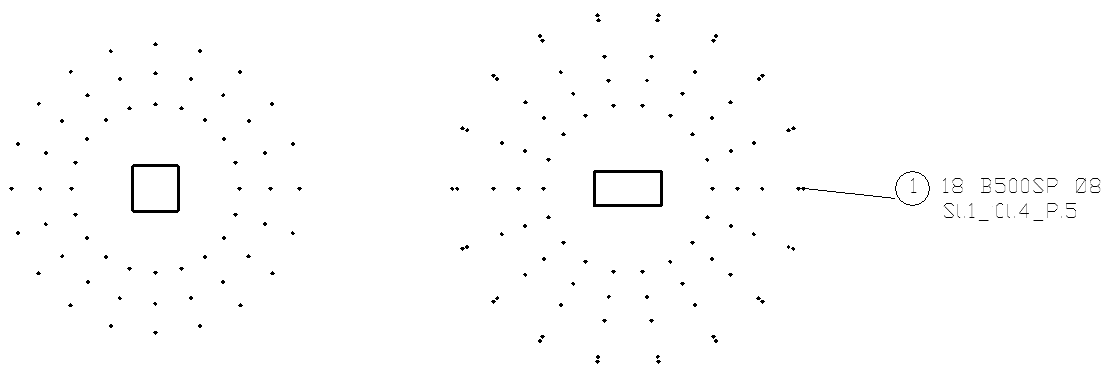
Figure 4 – Dynamo script Figure 5 – Punching reinforcement in Revit
In addition to importing geometric information, the script can complement a number of other data. For example, for created rebars the „mark” parameter could be modified by combination of ID numbers of a floor + column + perimeter. Depending on the needs, we can group the bars in various ways, as well as add some shared parameters with the identification data, in order to be able to use them in reinforcement tables, tags or filters.
Figure 6 – Floor plan.
This is an example showing how Dynamo can be used to generate rebar in Revit saving a lot of time on the modeling and detailing side, but it shows as well the great potential that lies in the ability to automate the process of creating drawing documentation, especially with the use of detailed results from Advance Design!
Learn more about Advance Design and visit our Virtual Stand!
Advance Design 2021.1 Update is enhanced with new functionalities and improvements with high benefits for the end-user. It is articulated around a few main subjects:
Modelling and workflow enhancements
New options and improvements to the Steel design
New options and improvements to the Concrete design
Improvements to concrete and steel Design modules (previously known as BIM Designers modules)
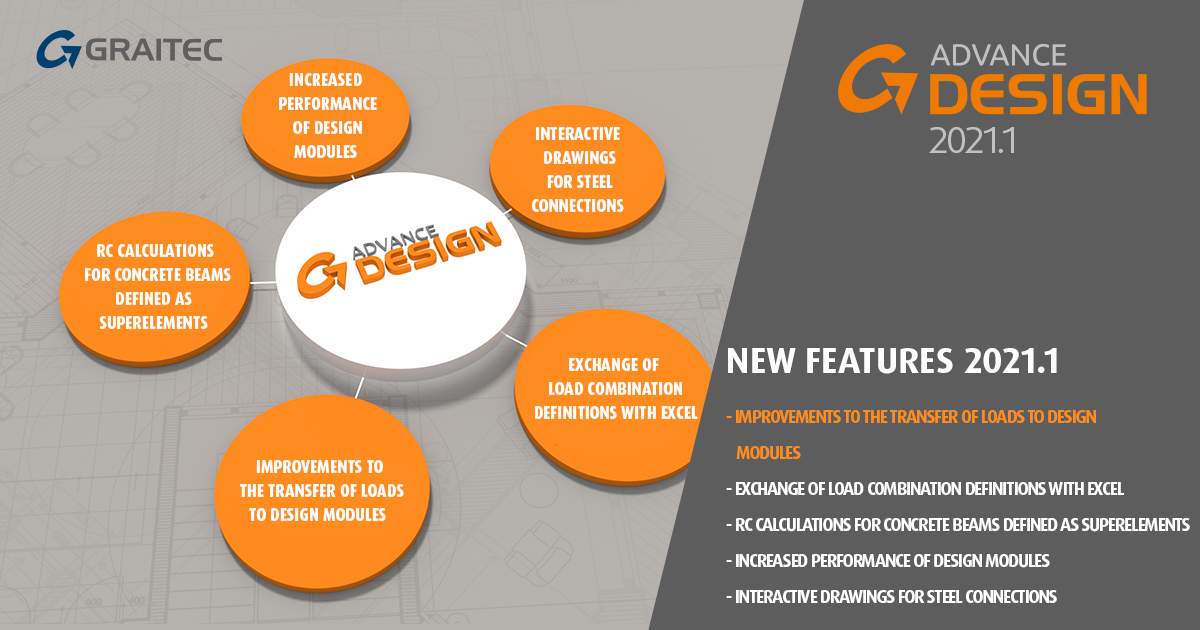
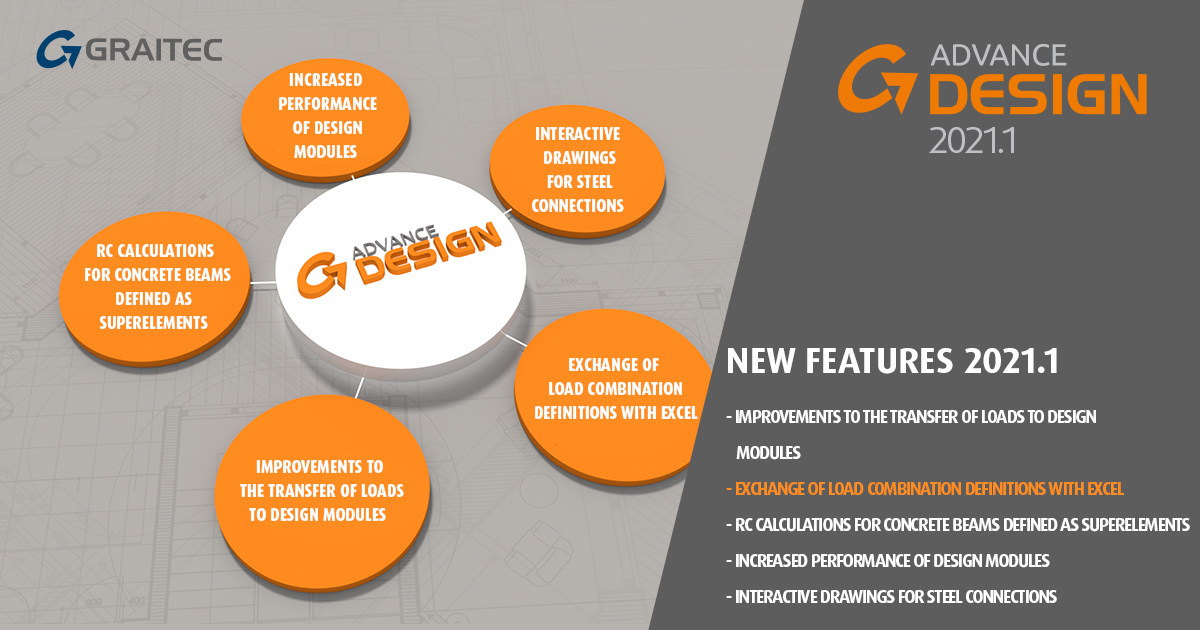
Among many new functionalities and improvements, we would like to highlight:
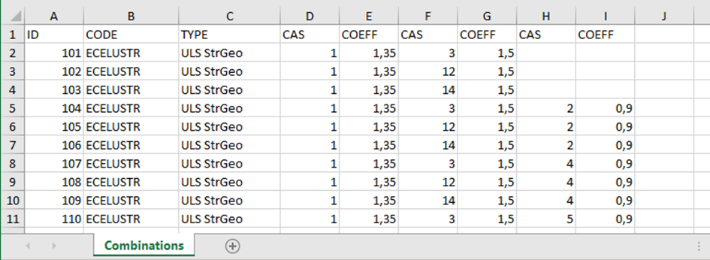
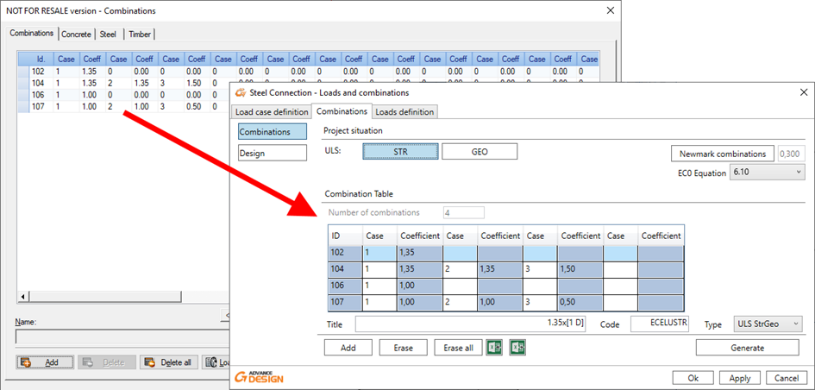
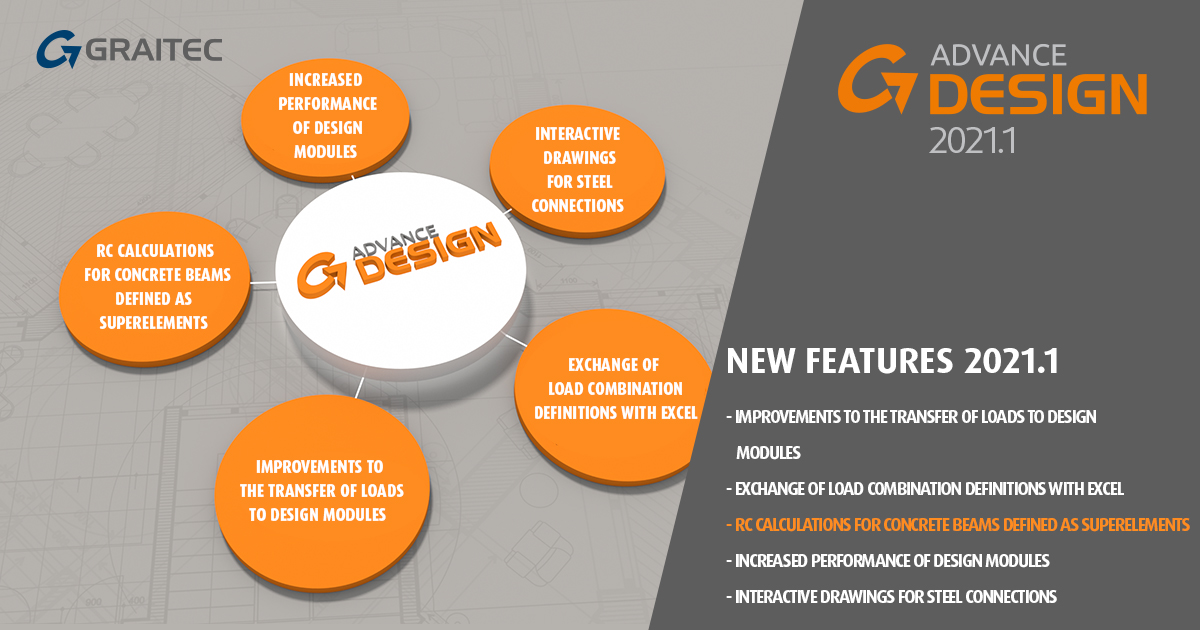
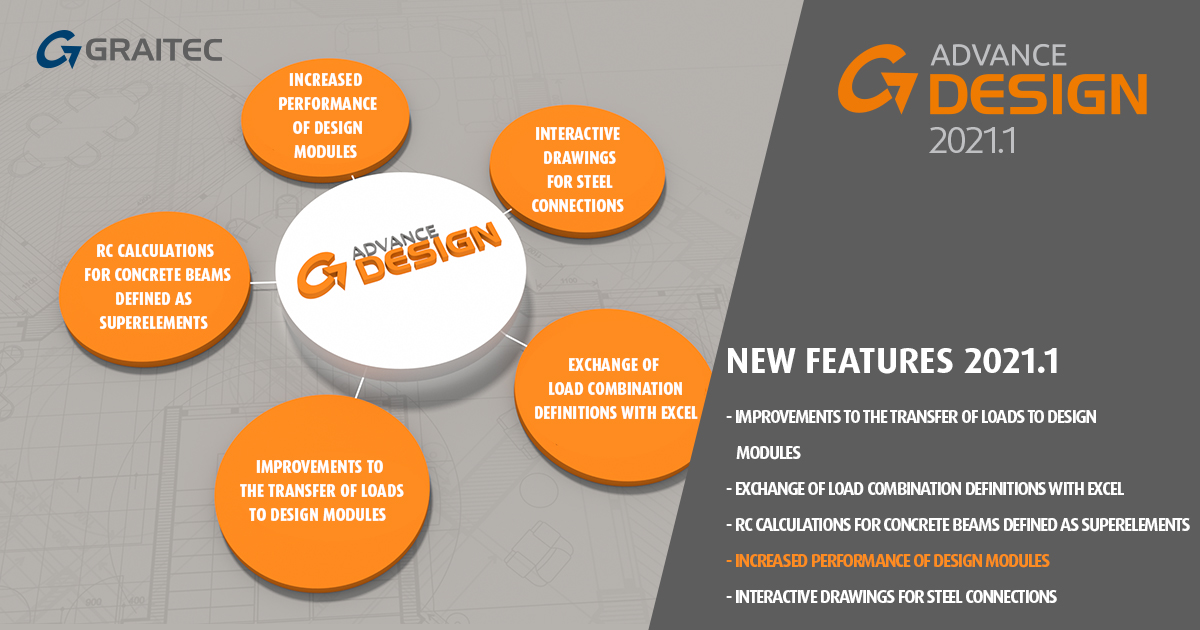
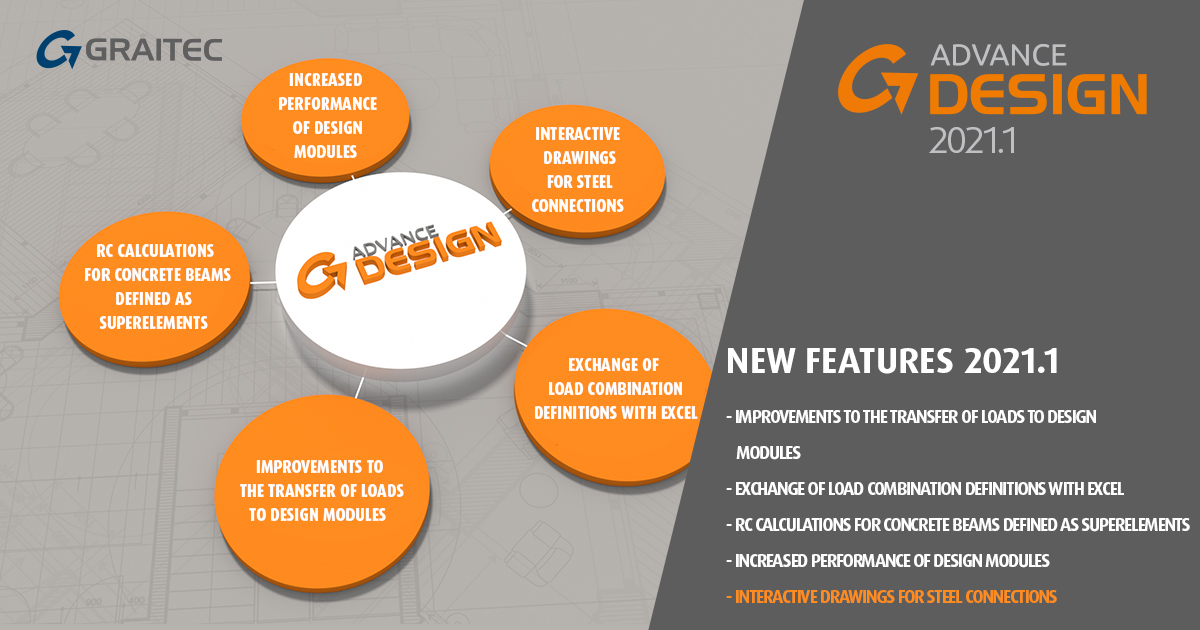
Exchange of load combination definitions with Excel allows easy management of load combination definitions by using new Export and Import
Improvements to the transfer of loads to Design modules allows easy transfer of the list of definitions of load combinations to design modules.
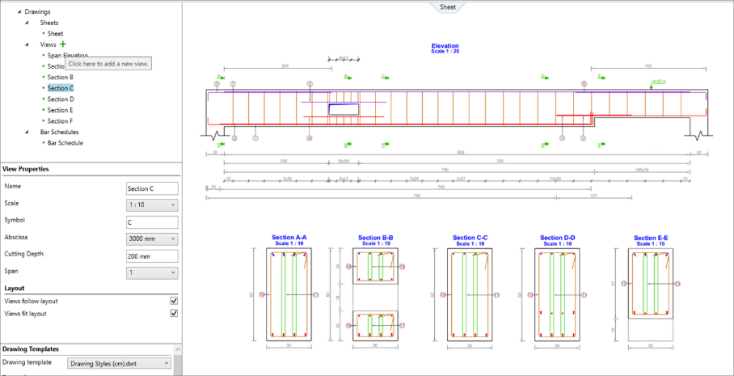
Increased performance of Design modules significant increase in work comfort, especially thanks to the substantial reducing the time of generation of drawings.
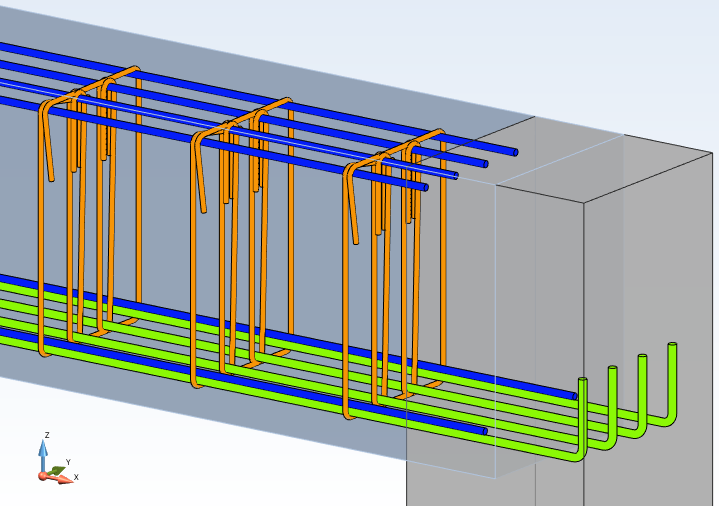
RC calculations for concrete beams defined as super elements allow the design of multiple span beams having different height and support widths as a single element.
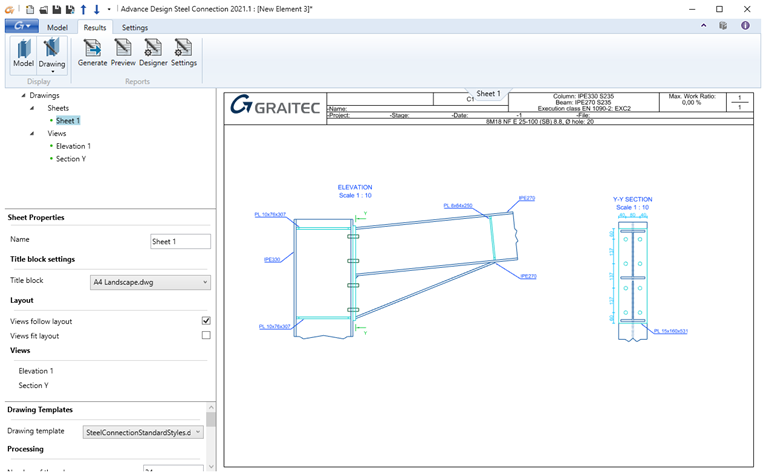
Interactive drawings for steel connections easy and full control over the content of the drawing thanks to the ability to freely compose drawings, easy modification of the location of drawing components, and scale for views.
Update 1 to Advance Design 2021 also comes with many other improvements and adjustments following the feedback received from thousands of users worldwide. It brings also a big number of corrections of known problems and also includes all the fixes and improvements made with the previously released Hotfix 1 (2021.0.1) and Hotfix 2 (2021.0.2).
We are inviting you to take a quick look at the selected improvements brought to the Advance Design 2021.1 Update.
Modelling and workflow enhancements
Advance Design 2021.1 comes with several new features and improvements dedicated to the modelling and workflow.
Exchange of load combination definitions with Excel
Thanks to new Export to Excel and Import from Excel commands we can easily manage load combination definitions by using Microsoft Excel spreadsheets.
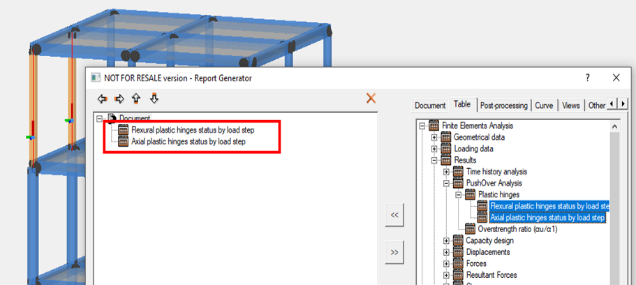
Pushover: Displaying a report with status only for selected plastic hinges
When analyzing the results of the pushover analysis by using report tables with the status of plastic hinges, the content of these tables is now filtered to the current selection of elements in the model. It greatly facilitates viewing the results, as we can focus on the statuses of plastic hinges from selected elements only.
Simultaneous creation of holes for many surface elements
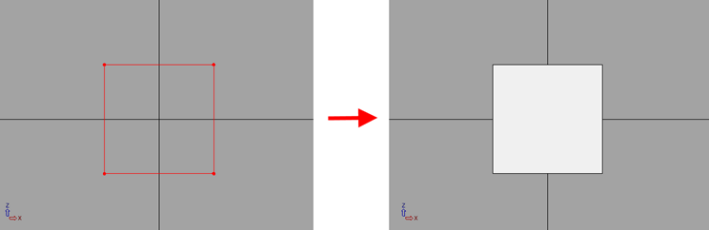
When creating holes in surface elements, it is now possible to create a hole in multiple elements simultaneously on the basis of a polyline cutting through several contours.
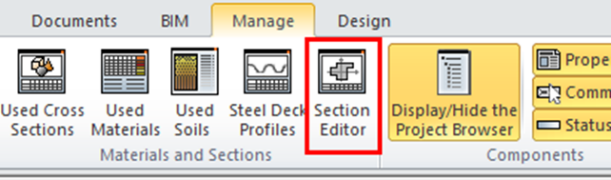
Shortcut to the Section Editor directly on the ribbon
To facilitate and speed up the opening of the module for creating and editing cross-sections, an icon with the command to open the module directly has been added to the Manager ribbon.
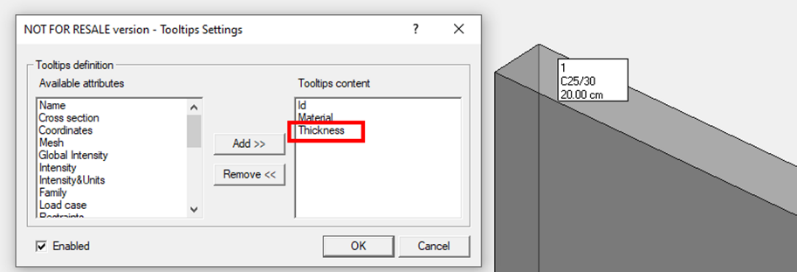
Thickness in tooltips
The Thickness property has been added to the list of available attributes to be selected for the content of tooltips.
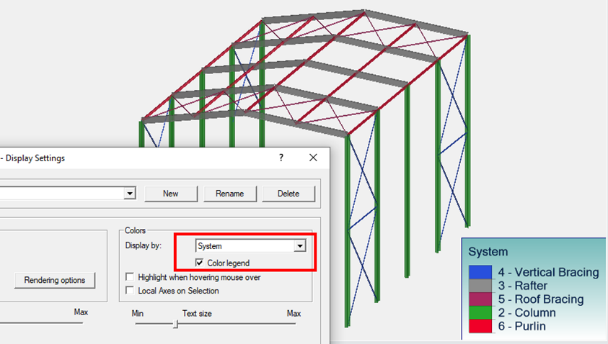
System names on the color legend
When displaying a color legend for elements colored by systems, in addition to system ID the name of systems is now displayed. It greatly facilitates the identification and improves the quality of the created documentation.
Improvements to the transfer of loads to Design modules
To improve the transfer of load-related information when transferring data from the Advance Design model to the design modules, new options have been added to easily transfer the list of self-created or modified definitions of load combinations to design modules.
New possibilities for Steel Design
Advance Design 2021.1 comes with several new powerful features dedicated to the design of steel structures.
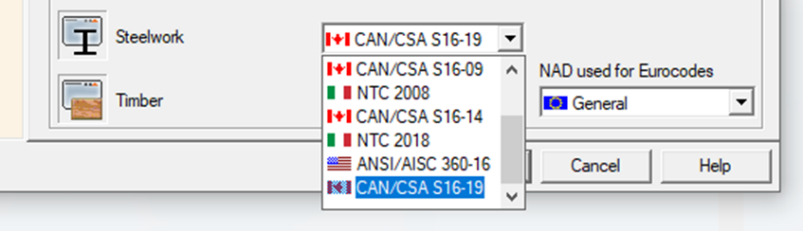
The new version of the Canadian code for the steel design – CSA S16-19
Since version AD 2021.1 it is possible to perform design calculations of steel linear elements using the current version of the Canadian CSA standard: CSA S16-19.
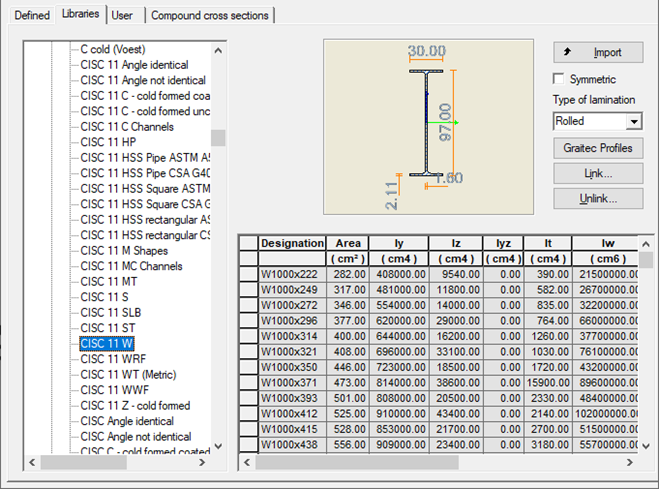
Update of the Canadian CISC 11 steel section database
Steel profiles from the CISC 11 catalogue (the 11th CISC handbook) have been updated. The changes mainly concerned with changes in naming, adding missing profiles to catalogues and slight changes in the values of the characteristics for a few selected profiles.
Improvements to displaying results of the steel design
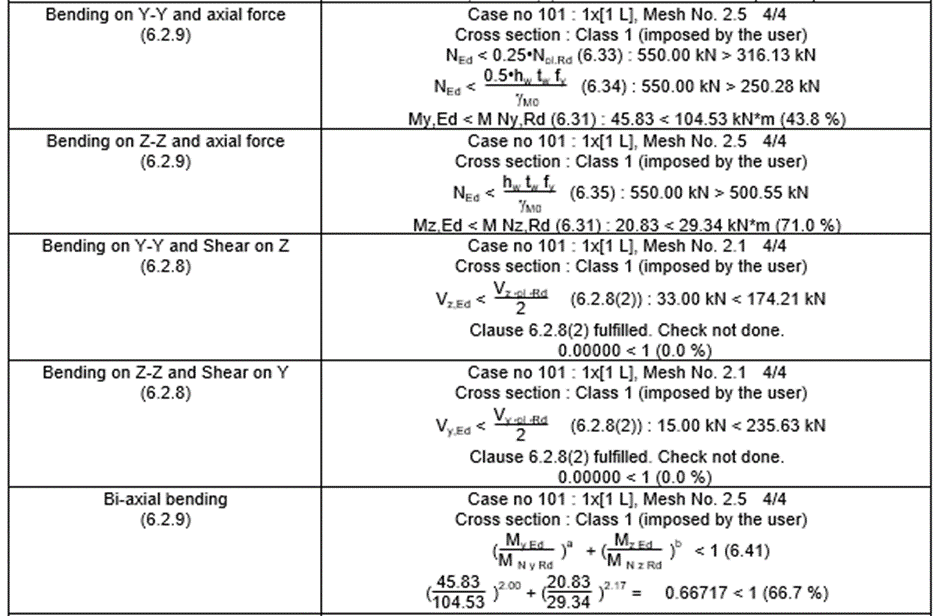
A number of improving changes have been made to the presentation of design results of steel elements (according to Eurocode 3) in the Shape Sheet window and related reports. These changes increase the readability of the results as well as allow for a more detailed verification of the results. The most important of these are:
Uniform rules for the presentation of results for individual strength checks.
The cross-section class is now displayed for each check separately, determined on the point where the check was done.
Replacing the oblique bending check by bending with an axial force, bending with shear forces, and biaxial bending checks.
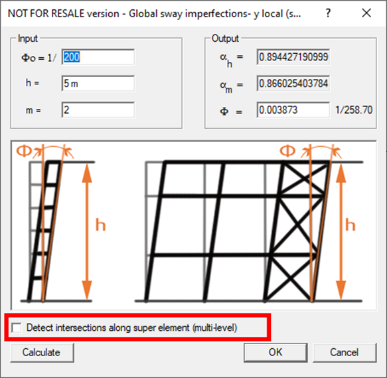
Imperfections on steel columns defined as superelement
Steel columns defined as superelements can be used for the automatic generation of imperfections (according to Eurocode 3). During the generation of forces, the user can decide whether to consider the elements that intersect the superelement.
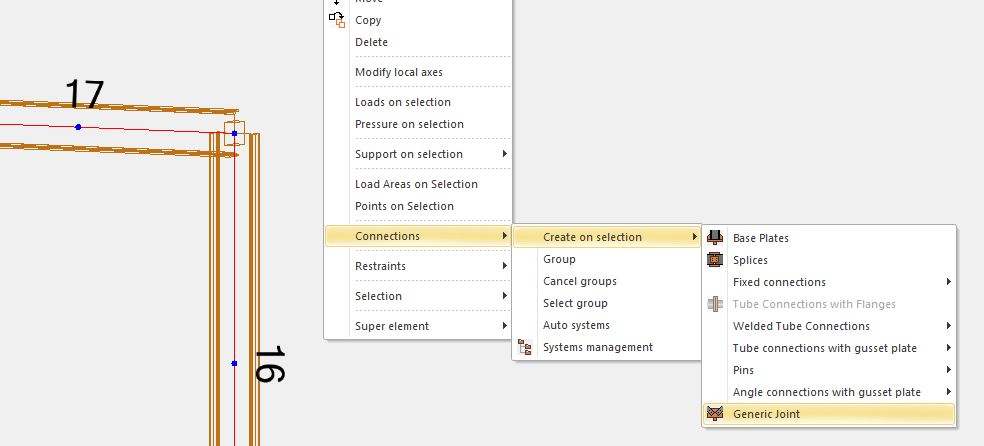
Improvement in the creation of generic steel joints
To facilitate and speed up the definition of generic joints for steel elements, the command to create them based on the current selection of steel elements has been added. A new command is available on the right-click menu and creates a single connection for steel elements that are in contact at the same point.
New possibilities for Concrete Design
Advance Design 2021.1 also comes with several improvements dedicated to the design of Reinforced Concrete structures.
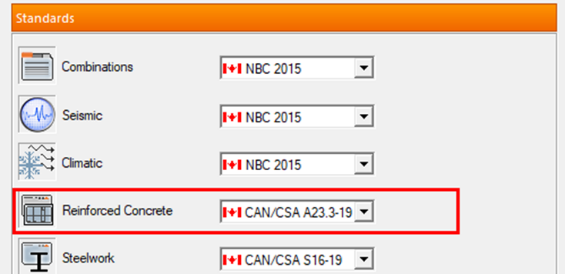
The new version of the Canadian code for the concrete design – CSA 23.3-19.
With the Advance Design 2021.1 Update it is possible to perform dimensioning calculations of concrete linear and planar elements using the current version of the Canadian CSA standard: CSA 23.3-19.
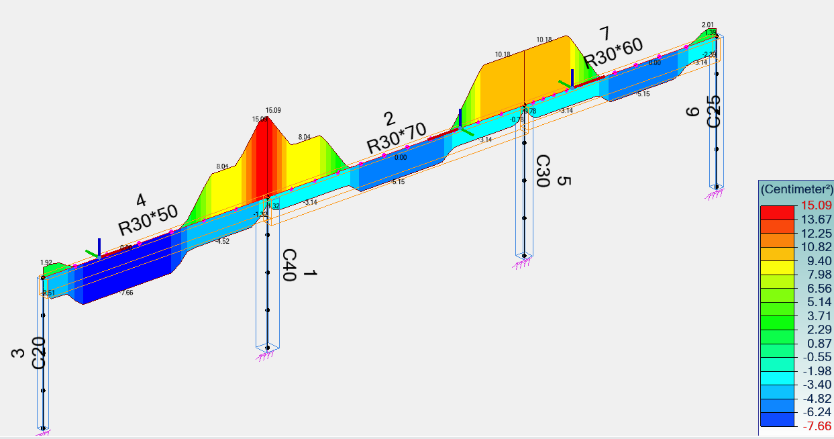
Superelement for RC beams
The super element concept is now applied to the concrete linear elements for the reinforcement design according to Eurocode. This gives a possibility for the design of multiple span beams having different height and support widths as a single element
Extension of the list of rebar diameters for Poland
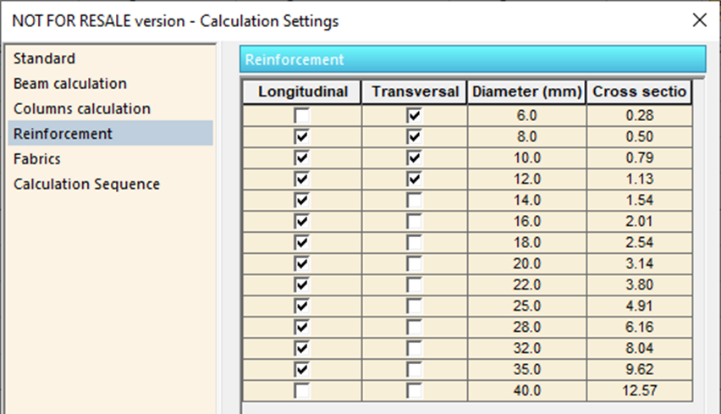
In order to enable the calculation of the real reinforcement with the use of reinforcement diameters used on the Polish market, new diameters (18, 22, 28, and 35) have been added to the list of reinforcement bar diameters available on the reinforcement settings window. This change is available for projects having the localization set to Poland.
Improvements to Design modules
In the latest version of the Advance Design, many improvements have been introduced to the Design modules.
Unification of brand names
In the current 2021.1 version, further changes have been made to unify Graitec software brand names. Accordingly, the design modules previously named Advance BIM Designers are now called as design modules of Advance Design.
Speed improvement
One of the most important changes introduced with this update of design modules is the increase in performance. Thanks to optimization in many areas, there are significantly reduced times of starting modules, loading projects, calculations and, above all, generation of drawings.
Improvements to the info panel
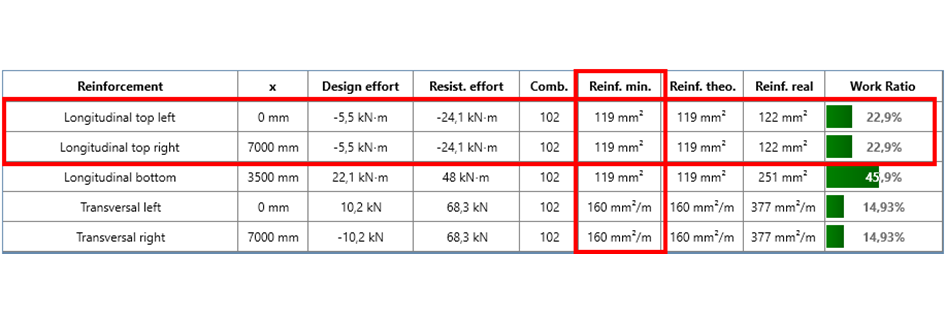
The info panel content for the RC modules has been supplemented with additional types of results, including: minimal reinforcement areas for beams, more details for top longitudinal reinforcement on beams, buckling information for columns and punching verification for foundations.
Slovakia localization
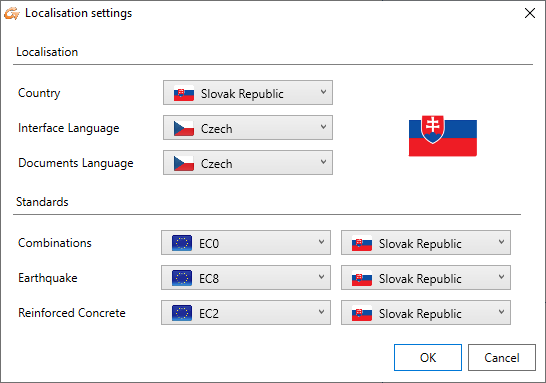
The Slovakia localization is now available for design modules, which allows for running the design calculations according to Slovak appendixes to Eurocode.
The new layout of the Reinforcement Assumption dialog windows
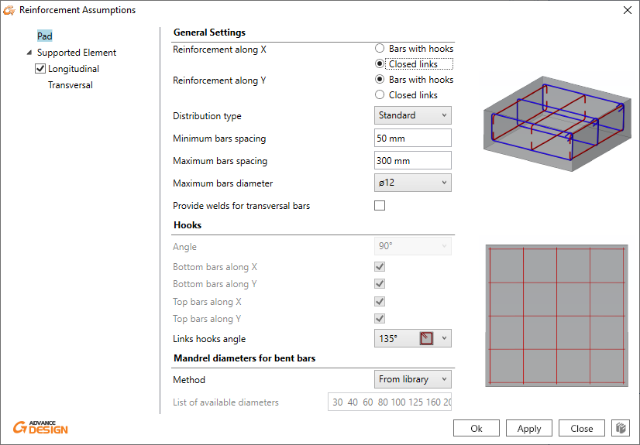
The layout of the Reinforcement Assumption dialog windows has been updated for the RC Column, RC Wall and Footing modules. As with most other windows with a new layout (tree menu on the left, parameter fields in the central part, and explanatory drawings on the right), the definition and change of parameters are much easier and faster.
Improvements to views
A number of improvements have been made to the graphical presentation of the RC views, including a possibility for hiding a formwork from 3D views, a possibility for changing a render mode, a possibility for filtering of the displayed loads and a new mechanism for displaying loads on RC beams.
Interactive drawings for steel connections
Drawings generated by the Steel Connection module are now managed by the interactive drawing mechanism, similar to other RC modules. Thank to this the user has control over the composition and all drawing elements.
Double Angle section for diagonals for Gusset Joints
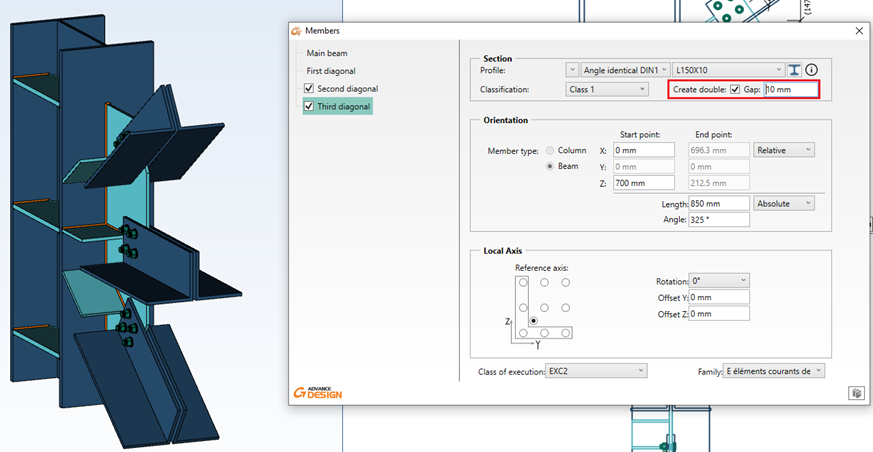
The 2021.1 update of Advance Design Steel Connection offers a new configuration for the Gusset Joint – the double angle section for one, two or three diagonals
Learn more about Advance Design Update 2021.1 from our dedicated webinar!
Learn about Advance Design and visit our Virtual Stand! All the necessary information gathered in one place, all to make access to information about our software much easier!



 Civil Engineering Software Solutions